ValCraft
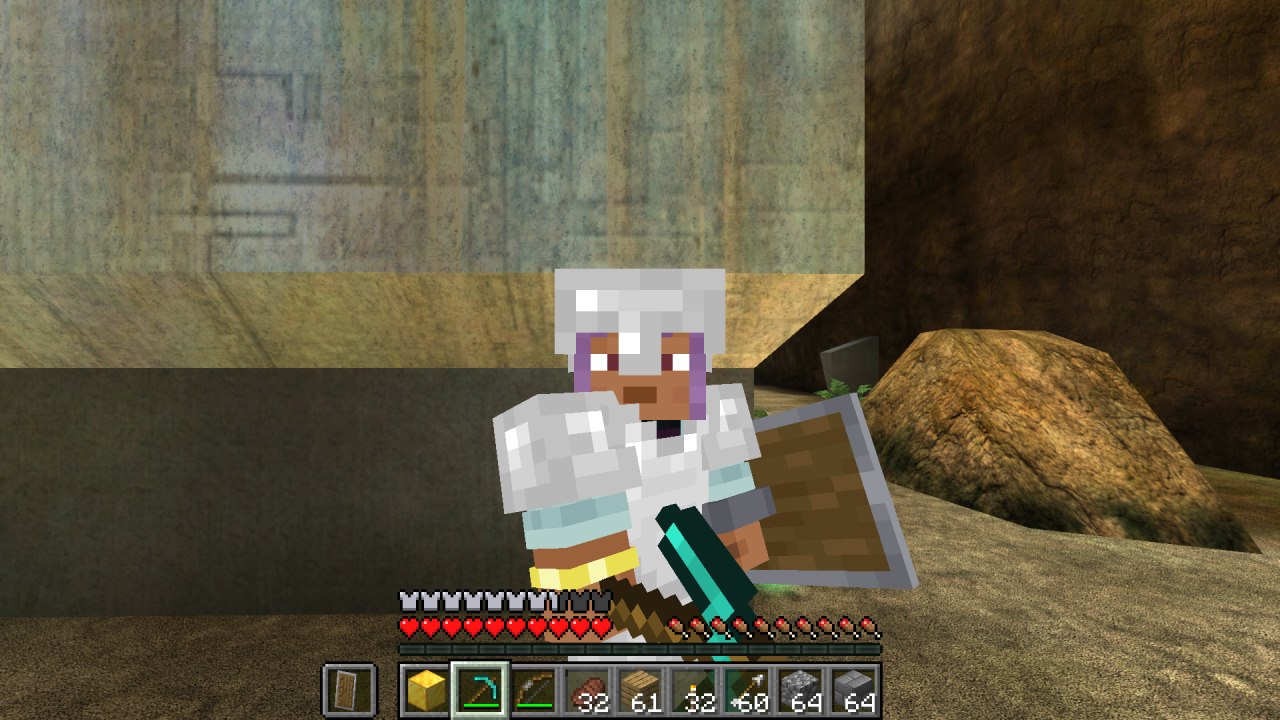
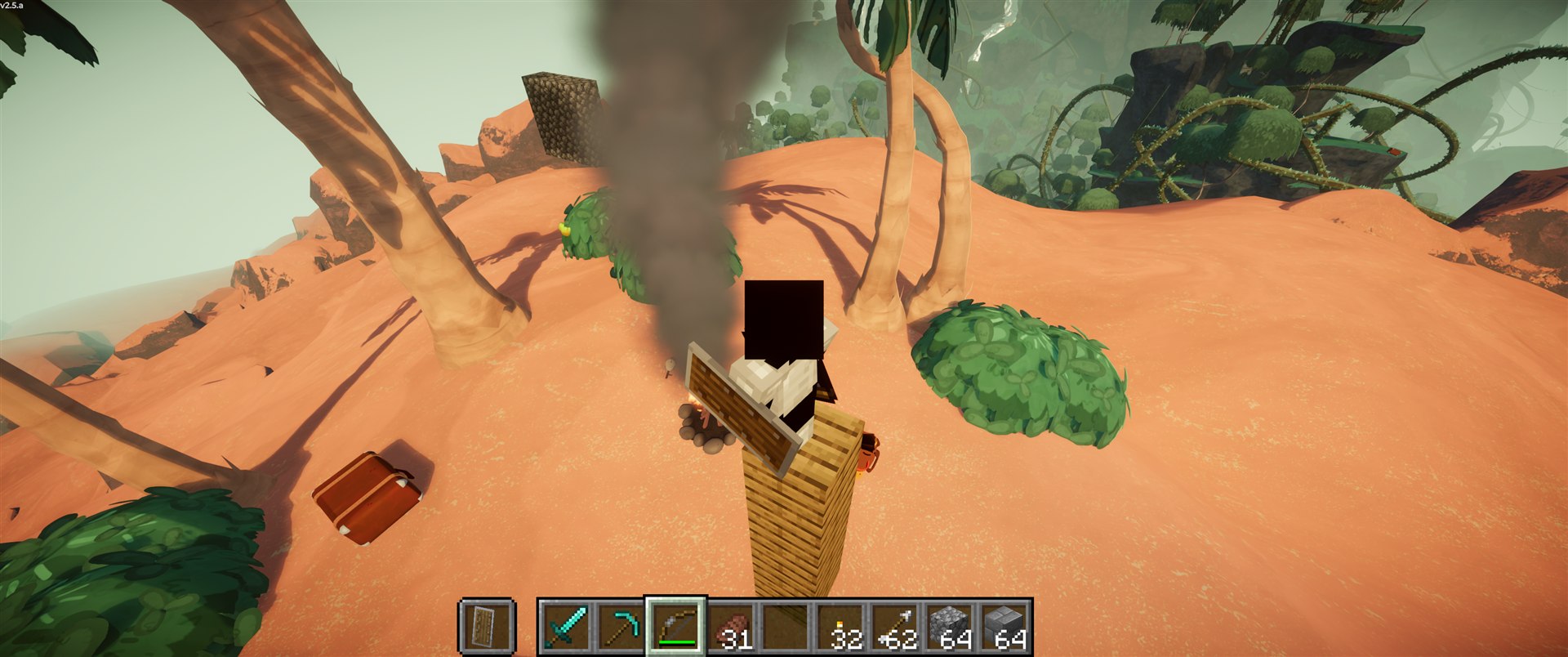
Play Valheim's world as a Minecraft player: Minecraft movement, inventory, blocks, combat and chat inside Valheim's terrain, weather and dungeons.
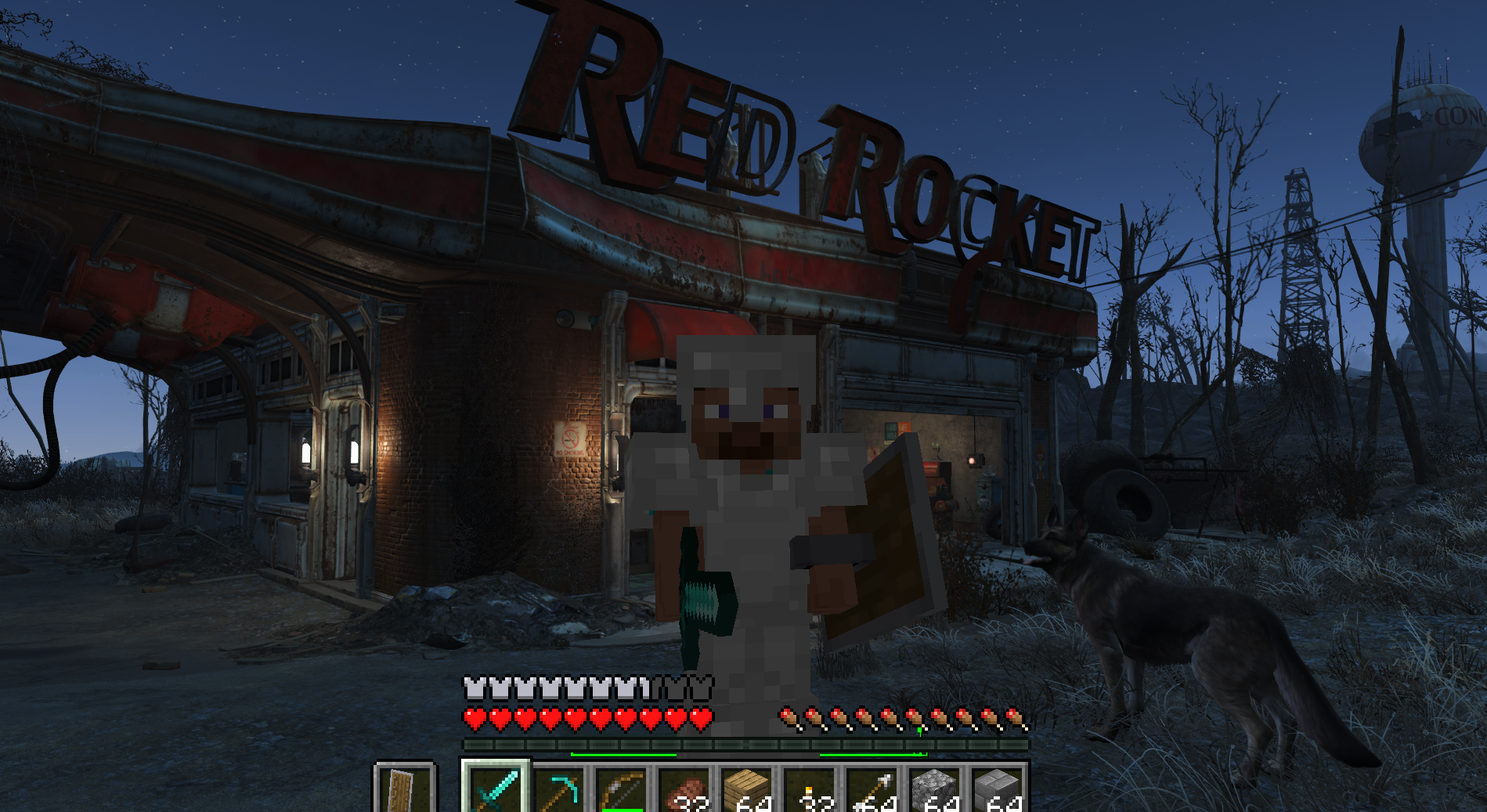
Play Fallout 4 as a Minecraft player: Minecraft physics, inventory, blocks and combat inside Fallout's world (F4SE plugin + Fabric mod).
Play Fallout4 as a Minecraft player: Minecraft physics, inventory, blocks and combat inside Fallout's world (F4SE+ Fabric mod). See the README below for details.
Play Fallout 4 as a Minecraft player. A Fallout 4 + Minecraft crossover mod: Minecraft's movement, inventory, building, hearts and combat inside the Commonwealth.



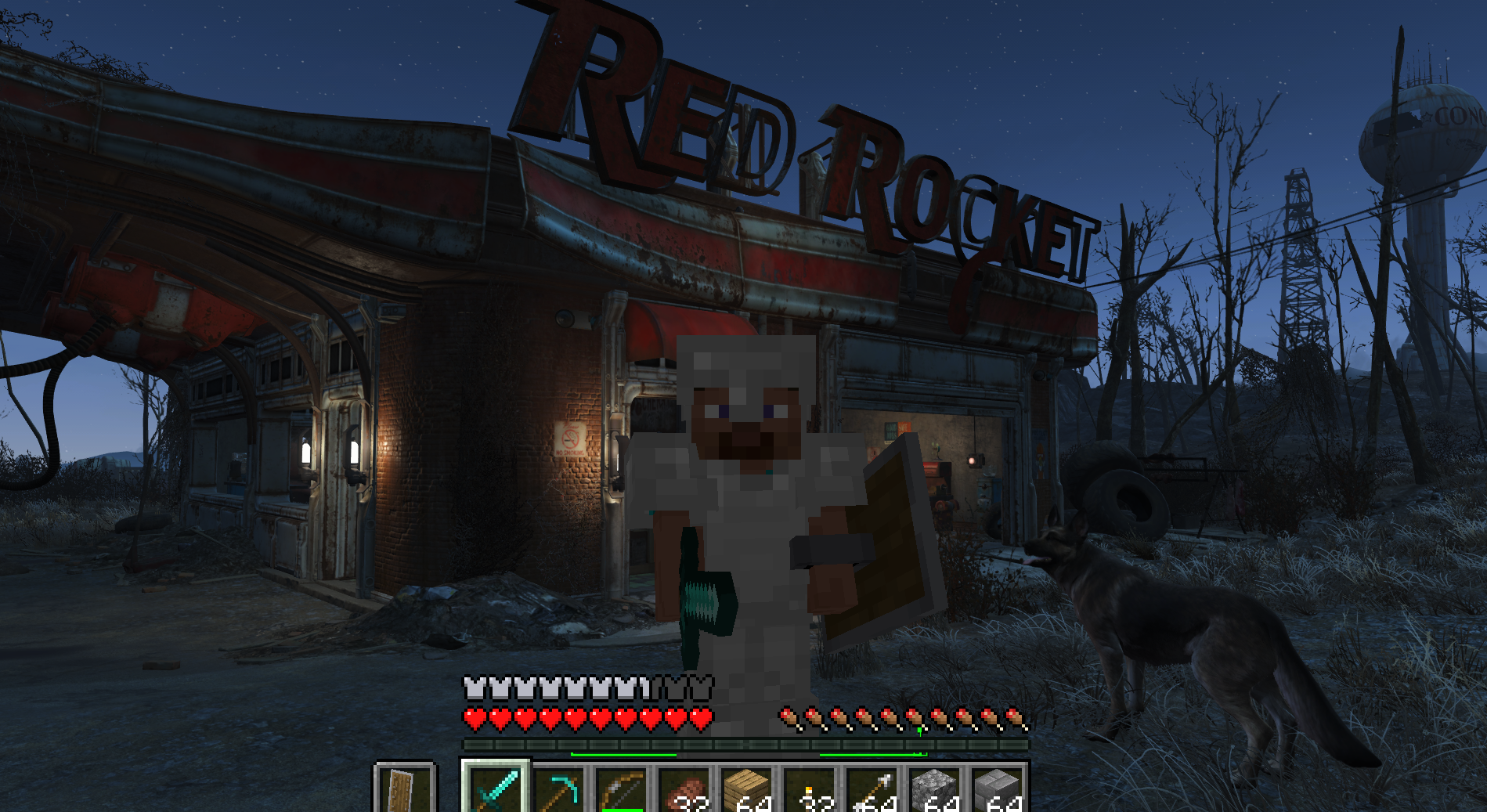
Walk, sprint and jump through Sanctuary with Minecraft's physics. Build a base out of Minecraft blocks on top of Red Rocket. Fight raiders, mole rats and bloodbugs with a diamond sword, a bow and a shield, while your Fallout S.P.E.C.I.A.L. makes Steve faster, stronger or tougher. Open the Pip-Boy and listen to Diamond City Radio while you do it.
Neither game is rewritten. Minecraft runs its own game logic, and Fallout 4 runs its world, NPCs, quests, Pip-Boy and saves. A Fallout 4 F4SE plugin and a Minecraft Fabric mod talk to each other through shared memory. Minecraft runs hidden in the background, and Fallout draws everything.
Latest: v0.1.2 — Scavenging & Gathering: Minecraft loot in Fallout's containers and corpses, chop trees and dig the ground for resources, and NPCs now bump into your builds.
FalloutCraft is built on SkyCraft by chasmlol, the Skyrim + Minecraft mod (see Credits).
Status: early and experimental. Expect rough edges, and back up your saves. This is a fan project. It isn't affiliated with Mojang, Microsoft, Bethesda or ZeniMax, and you need to own both games.
sprinting, jumping, crouching, swimming and falling. Fallout's collision (Havok) is streamed into Minecraft's own collision, and Fallout's ground under your feet is double-checked every frame so you don't fall through cracked roads.
frame and hide behind Fallout's walls. Dropped items, arrows and block-breaking cracks are drawn too.
tridents. Damage is scaled to the enemy's level. Enemies fight back, stagger on critical and knockback hits, and your kills count as yours.
sent to Minecraft, Minecraft's armour and shield reduce it, eating and natural regeneration heal you, and Fallout's health bar follows Minecraft's. If you die in Minecraft, you die in Fallout.
bonus, below a penalty):
| Stat | In Minecraft |
|---|---|
| Strength | Melee damage, knockback resistance |
| Perception | Reach |
| Endurance | Maximum health, breath under water, armour toughness |
| Agility | Walking and running speed, attack speed, safer falls |
| Luck | Minecraft's luck (better loot) |
armour in Fallout. Fallout's own first-person arms are hidden.
world, so what you build in one never shows up in another. Interior walls, floors and doors line up with Fallout's own (fixed in v0.1.1).
skeletons and creepers show up around you outdoors, alongside the Wasteland's own mutants. Zombies and skeletons burn at dawn, and creepers blow holes in the ground.
a corpse, you also find a little everyday Minecraft loot: sticks, coal, iron nuggets, paper, string, torches, bread, bones, arrows, leather, saplings and seeds... ("Found! ..." in the chat).
giving you logs and often a sapling; small rocks give stone; dig the Wasteland's ground for dirt, then about a dozen layers of stone with ores (coal, iron, copper, redstone, gold, lapis, the rare diamond) before bedrock. You can climb down into the holes you dig.
bump into your walls instead of walking through them. (They still plan their routes as if the blocks weren't there.)
Fallout 4
| Fallout 4 (Steam), current runtime | Developed and tested on 1.11.240. The old-gen 1.10.163 runtime isn't supported. |
| Fallout 4 Script Extender (F4SE) (Nexus) | For your game version (tested with 0.7.9) |
| Address Library for F4SE Plugins | The "All in One" file for your game version |
Recommended: play from a save made after you leave Vault 111. The opening (the pre-war house and the vault) is heavily scripted and may not work while Minecraft drives the player.
Minecraft
| Minecraft: Java Edition | A Microsoft account that owns it |
| Minecraft 26.3 with Fabric Loader 0.19.5 or newer | Started from this repo with gradlew runClient (see below) |
| Fabric API for 26.3 | Pulled in by the build |
| Java 25 (JDK) | To build and run the Minecraft mod |
Minecraft runs hidden next to Fallout. Budget about 3 GB of extra RAM and a GPU that runs Minecraft 26.3.
To play you also need JDK 25 (it runs the Minecraft mod) and Git (or download this repo as a ZIP from GitHub).
To build the plugin yourself (optional: a compiled one comes with the repo):
| Visual Studio 2022 or newer | With the Desktop development with C++ workload (the MSVC compiler) |
| xmake | Builds the Fallout 4 plugin |
| Git | To clone this repo and the CommonLibF4 template |
No Git or build tools needed. Grab the files from the latest release:
FalloutCraft--FO4.zip with Mod Organizer 2 / Vortex (*Install mod from
archive*), or copy commonlibf4-template.dll into Fallout 4\Data\F4SE\Plugins\.
Loader 0.19.5** instance running Java 25, and put Fabric API 0.161.0+26.3 and falloutcraft-.jar in its mods folder.
Fallout 4 through F4SE and load a save.
The repo comes with the plugin already compiled, so you don't need to build anything to play. (If you'd rather build it yourself, see Building from source.)
Install these first, with your mod manager (Mod Organizer 2, Vortex) or by hand:
f4se_loader.exe, the f4se_1_*.dll files and the Data folder from the F4SE
archive into your Fallout 4 folder (where Fallout4.exe is). From now on, start the game with f4se_loader.exe (or through your mod manager).
.bin file goes into
Fallout 4\Data\F4SE\Plugins\.
git clone https://github.com/zeyvu/FalloutCraft(or Code > Download ZIP on GitHub and unzip it).
Copy FO4_Release\Data\F4SE\Plugins\commonlibf4-template.dll into Fallout 4\Data\F4SE\Plugins\ (next to the Address Library's .bin). That's the FalloutCraft plugin; F4SE loads it when the game starts.
With Mod Organizer 2 or Vortex: zip the
FO4_Release\Datafolder (so the zip hasDataat its top) and install the zip as a mod.
cd FalloutCraft\fabric
gradlew runClient
That builds the FalloutCraft Minecraft mod and starts Minecraft with it. The first run downloads Minecraft 26.3, Fabric and the Fabric API (a few minutes). Minecraft hides its window and waits for Fallout. Leave it running.
f4se_loader.exe or your mod
manager) and load a save.
your Fallout character stands, and takes over. You'll see Minecraft's hotbar and hearts over Fallout.
The order doesn't matter, and either side can be restarted: they reconnect.
To check the plugin loaded, open Documents\My Games\Fallout4\F4SE\commonlibf4-template.log: it starts with SkyCraft (FalloutCraft) plugin build.
git pull (or download the ZIP again), copy the new commonlibf4-template.dll over the old one, and start Minecraft again with gradlew runClient (it rebuilds the mod). Update both halves together: they share a memory layout and only talk to a matching version.
Delete Fallout 4\Data\F4SE\Plugins\commonlibf4-template.dll. FalloutCraft doesn't change your Fallout saves beyond what you did while playing.
Minecraft has priority. These keys still go to Fallout:
| Key | Does |
|---|---|
| E | Fallout activate: doors, NPCs (talk), containers, terminals, workbenches |
| Tab | Pip-Boy |
| Esc | Fallout pause menu (or closes an open Minecraft screen) |
| ~ | Fallout console |
| F9 | Fallout quickload |
And these are Minecraft's, moved or changed for Fallout:
| Key | Does |
|---|---|
| I | Minecraft inventory (E is Fallout's activate) |
| Shift | Sprint |
| Ctrl | Crouch / sneak |
| O | Minecraft pause / options menu |
Every other key is Minecraft's: F5 camera, T chat, / commands, the hotbar keys, the mouse buttons and so on.
Documents\My Games\Fallout4\F4SE\commonlibf4-template.log (the Fallout plugin)Documents\My Games\Fallout4\F4SE\SkyCraft_crash.log (crashes, with function names)fabric\run\logs\latest.log (Minecraft)for a moment.
be used while Minecraft drives the player.
Minecraft water, NPCs walking around blocks, training Fallout skills from Minecraft play, and multiplayer.
FalloutCraft_worlds.txt (next to the logs) remembers where each interior lives in the
Minecraft world. Deleting it moves interiors around, and what you built inside them won't show up in the same place.
Only needed if you change the plugin or want to compile it yourself.
The plugin is built on the CommonLibF4 plugin template. The template is a separate project with its own license, so this repo doesn't include it: FO4_ModFiles/ has only FalloutCraft's own files. You clone the template, drop them in, and build. With XSE_FO4_GAME_PATH set, the build also copies the plugin straight into the game.
In a terminal (cmd), inside the FalloutCraft folder:
:: the CommonLibF4 template (with its submodules), inside the FalloutCraft folder
git clone --recurse-submodules https://github.com/libxse/commonlibf4-template

:: FalloutCraft's sources into the template's src\, and its build file over the template's
copy /Y FO4_ModFiles\*.cpp commonlibf4-template\src\
copy /Y FO4_ModFiles\*.h commonlibf4-template\src\
copy /Y FO4_ModFiles\xmake.lua commonlibf4-template\xmake.lua

:: your Fallout 4 folder (the one with Fallout4.exe), so the build installs into it
setx XSE_FO4_GAME_PATH "C:\Games\Fallout 4"
FO4_ModFiles\xmake.lua is the template's build file plus the Direct3D and DbgHelp libraries the plugin needs (without them it doesn't link) and a .pdb for the crash log.
Close the terminal and open a new one (so it sees XSE_FO4_GAME_PATH), then:
cd FalloutCraft\commonlibf4-template
xmake build -r
The first build downloads CommonLibF4's dependencies and takes a few minutes. It ends with:
installing commonlibf4-template to C:\Games\Fallout 4\Data ..
install ok!
[100%]: build ok
That built commonlibf4-template.dll in commonlibf4-template\build\windows\x64\release\ and copied it to Fallout 4\Data\F4SE\Plugins\. Without XSE_FO4_GAME_PATH, copy it there yourself (the .pdb next to it is optional; it lets the crash log name functions). To update the compiled copy in the repo, copy it to FO4_Release\Data\F4SE\Plugins\.
The commonlibf4-template folder is ignored by Git: only FalloutCraft's own files are in this repo.
For development:
fabric\gradlew runClient starts a dev Minecraft that stays running when Fallout closes;
gradlew build builds the mod's .jar into fabric\build\libs\.
docs\DESIGN.md explains how the two halves fit together (written for SkyCraft), and
protocol\skycraft_protocol.h is the shared-memory layout both sides follow (FO4_ModFiles\skycraft_protocol.h is the same file).
| Folder | |
|---|---|
FO4_Release/ | The compiled plugin, laid out like the game's Data folder |
FO4_ModFiles/ | The plugin's sources (C++, CommonLibF4) and its xmake.lua, to drop into the CommonLibF4 template |
fabric/ | The Minecraft Fabric mod (Java), from SkyCraft with FalloutCraft changes |
protocol/ | skycraft_protocol.h: the shared-memory layout both sides follow |
docs/ | DESIGN.md explains how the two halves fit together (written for SkyCraft) |
FalloutCraft stands on SkyCraft by chasmlol, which brought Minecraft into Skyrim. Go and see it.
and the Minecraft Fabric mod. SkyCraft's original README is kept as READMEOriginal.md.
FO4_ModFiles/): driving Fallout's
player, streaming Fallout 4's Havok collision, drawing Minecraft's blocks, items and HUD in Fallout's renderer, the Pip-Boy hand-over, the F5 cameras, combat with Fallout's actors, separate interiors and worldspaces. In the Minecraft mod: Fallout's ground as a safety net under the player, health shared with Fallout, S.P.E.C.I.A.L. attributes, and armour and shields against Fallout's gunfire.
From the project's repository, fetched . Images load from GitHub.
Play Fallout 4 as a Minecraft player: Fallout renders the world, collision and NPCs; Minecraft runs your movement, inventory, hearts/hunger, building and combat. Based on SkyCraft by chasmlol — huge thanks.
⚠️ Early test build. Expect bugs. Please report them in Issues with your logs.
| File | What it is |
|---|---|
FalloutCraft-0.1.2-FO4.zip | Fallout 4 side, installable with Mod Organizer 2 / Vortex |
commonlibf4-template.dll | Same plugin, raw DLL for manual install |
falloutcraft-0.1.2.jar | Minecraft side (Fabric mod) |
Fallout 4
Minecraft
FalloutCraft-0.1.2-FO4.zip → enable it, orcommonlibf4-template.dll into <Fallout 4>\Data\F4SE\Plugins\.fabric-api and falloutcraft-0.1.2.jar in its mods folder.Updating: replace the old zip/DLL and remove the old falloutcraft-0.1.x.jar from the mods folder (keep only one FalloutCraft jar).
Attach Documents\My Games\Fallout4\F4SE\commonlibf4-template.log (and SkyCraft_crash.log if the game closed) and Minecraft's logs\latest.log.
Full docs: README · License: MIT
Play Fallout 4 as a Minecraft player: Fallout renders the world, collision and NPCs; Minecraft runs your movement, inventory, hearts/hunger, building and combat. Based on SkyCraft by chasmlol — huge thanks.
⚠️ Early test build. Expect bugs (holes in the ground on some roads, odd cases in big fights). Please report them in Issues with your logs.
set gamehour to 22 in Fallout's console to try it.)| File | What it is |
|---|---|
FalloutCraft-0.1.1-FO4.zip | Fallout 4 side, installable with Mod Organizer 2 / Vortex |
commonlibf4-template.dll | Same plugin, raw DLL for manual install |
falloutcraft-0.1.1.jar | Minecraft side (Fabric mod) |
Fallout 4
Minecraft
FalloutCraft-0.1.1-FO4.zip → enable it, orcommonlibf4-template.dll into <Fallout 4>\Data\F4SE\Plugins\.fabric-api and falloutcraft-0.1.1.jar in its mods folder.Updating from 0.1.0: replace the old zip/DLL and remove falloutcraft-0.1.0.jar from the mods folder (keep only one FalloutCraft jar).
Attach Documents\My Games\Fallout4\F4SE\commonlibf4-template.log and Minecraft's logs\latest.log.
Full docs: README · License: MIT
Play Fallout 4 as a Minecraft player: Fallout renders the world, collision and NPCs; Minecraft runs your movement, inventory, hearts/hunger, building and combat. Based on SkyCraft by chasmlol — huge thanks.
⚠️ Early test build. Expect bugs (holes in the ground on some roads, odd cases in big fights). Please report them in Issues with your logs.
| File | What it is |
|---|---|
FalloutCraft-0.1.0-FO4.zip | Fallout 4 side, installable with Mod Organizer 2 / Vortex |
commonlibf4-template.dll | Same plugin, raw DLL for manual install |
falloutcraft-0.1.0.jar | Minecraft side (Fabric mod) |
Fallout 4
Minecraft
FalloutCraft-0.1.0-FO4.zip → enable it, orcommonlibf4-template.dll into <Fallout 4>\Data\F4SE\Plugins\.fabric-api and falloutcraft-0.1.0.jar in its mods folder.Attach Documents\My Games\Fallout4\F4SE\commonlibf4-template.log and Minecraft's logs\latest.log.
Full docs: README · License: MIT
Did it work on your PC? A quick report tells other players which versions are safe to try.
Built on SkyCraft.
Play Valheim's world as a Minecraft player: Minecraft movement, inventory, blocks, combat and chat inside Valheim's terrain, weather and dungeons.
Fly to a planet in Outer Wilds, press F6, and play real Minecraft there: build, mine and light TNT on Timber Hearth.
Minecraft inside Halo: Combat Evolved (MCC). Build, mine and fight on Halo's levels with real Minecraft mechanics, drawn by Halo itself.
Play Subnautica as a Minecraft player. A hidden Minecraft owns the player; Subnautica owns the world and draws every pixel, including Minecraft's blocks and mo…
Play PEAK as a Minecraft player. A port of SkyCraft (Minecraft in Skyrim) to PEAK.
Minecraft Java physics and gameplay inside 64-bit Garry's Mod. Minecraft controls the player; GMod supplies the map, props, input and camera.
No posts yet. Ask a question, share your setup or post a clip.
Sign in to post