Melee Unlocked
Super Smash Bros. Melee as a native Windows source port or static recomp, with unlocked FPS and Slippi online play. Beta.
Super Smash Bros. Melee for Windows as a true Source Port: the game compiled natively from its decompiled C source, no emulation, with unlocked FPS and Slippi rollback online. A Static Recomp of the original code is included as a second engine. Beta. Bring your own NTSC 1.02 ISO. See the README below for details.
README
On GitHubMelee Unlocked - Beta
A native Windows build of Super Smash Bros. Melee (NTSC 1.02) with Slippi online play and an unlocked display frame rate. It has two engines, and the launcher lets you pick.
Source Port (the main build). The game is compiled for Windows from C source code, the decompilation of Melee, and built as a native library. No GameCube code is run, emulated or translated. A native runtime stands in for the console around it: the game's drawing commands go to a D3D12 or D3D11 renderer, its sound goes through a native mixer, controllers are read directly, and the game's data is read from your own ISO. Slippi's rollback netplay is written natively too, and it plays against Slippi Dolphin.
Static Recomp. The retail game's own PowerPC code, with Slippi's Gecko codes, translated ahead of time into C++ and run on the same runtime. It is the engine this project started with, and it is kept for the mods that need the game's original code.
On both, the game logic runs at the console's 60 Hz while the display runs at any rate. In-between frames come from the game's own animation data and physics state, not from image interpolation, so an unlocked 200 Hz display shows real intermediate poses with no added latency.
Nothing from the game is included. You supply your own Melee NTSC 1.02 ISO.
Version 0.8.5 added the experimental Mod Update. The launcher includes Source Port and Static Recomp, with an integrated Mods page. Supported 20XX TE saves and Training Mode CE 1.4d1 run on Source Port; Akaneia runs on Static Recomp with matching Direct builds. See the Mod Update notes for installation and compatibility limits. The current release is 0.8.70; the notes for every version are in release/.
This project is not affiliated with, endorsed by, or supported by the Slippi team, Nintendo or HAL Laboratory. Slippi netplay compatibility is implemented from Slippi's open source code (GPL). Questions and bugs about this build go to this repository or the Discord below, not to the Slippi team.
No Monetization. No Donos. No Patreon. FREE FOREVER
v0.6.1 DLSS5 Footage can be found here www.youtube.com/watch?v=qZXsNr7HmAo
v0.5.0 Gameplay footage can be found here: www.youtube.com/watch?v=JlmTDW6wQms
Discord / Help
Discord can be found here discord.gg/K7HHs3r8ty And On X x.com/MeleeUnlocked
Screenshots
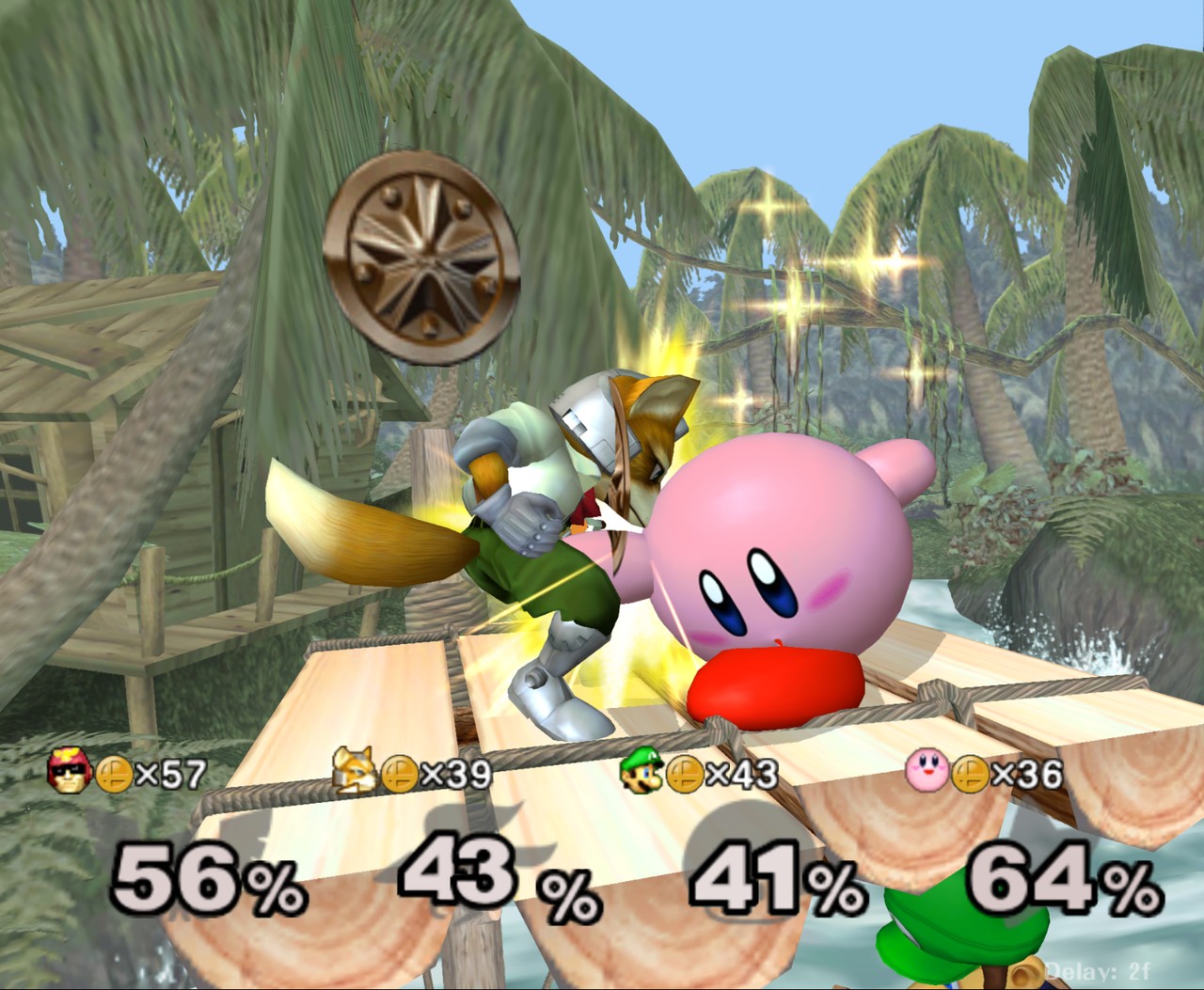
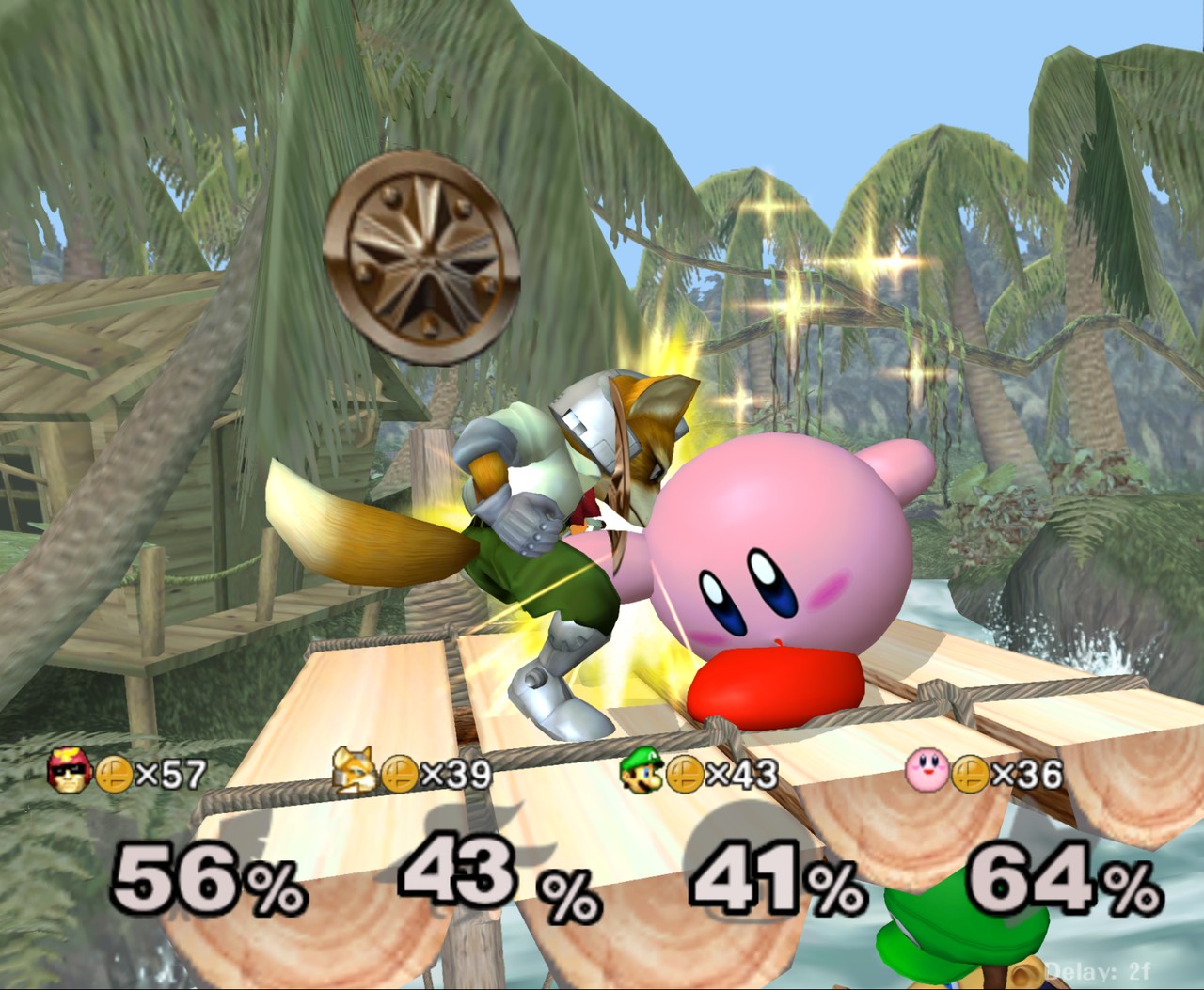
Taken in the game with DLAA on, at the window's full resolution. No textures or other game files are included with Melee Unlocked.
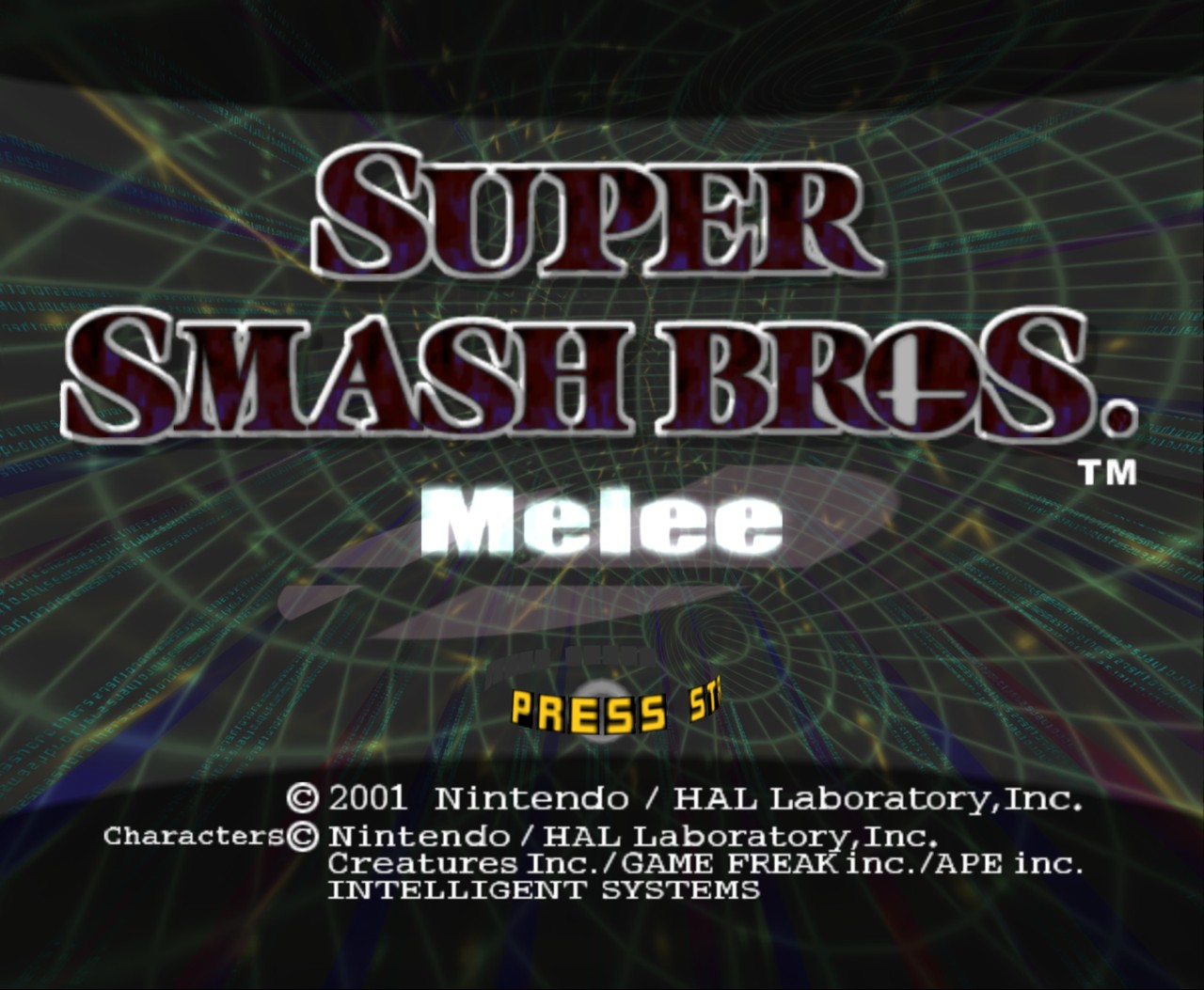 | 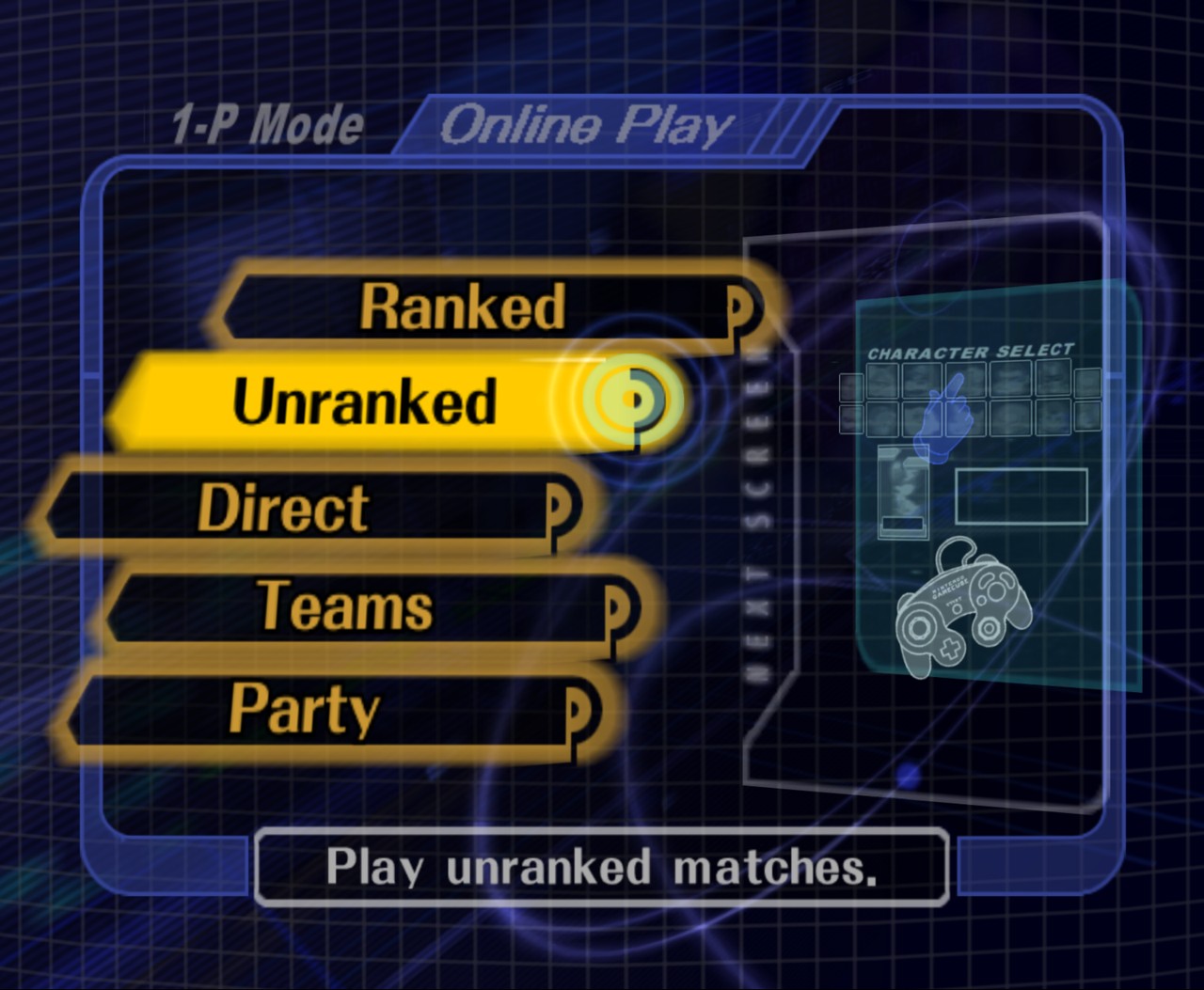 |
| Title screen | Slippi online play |
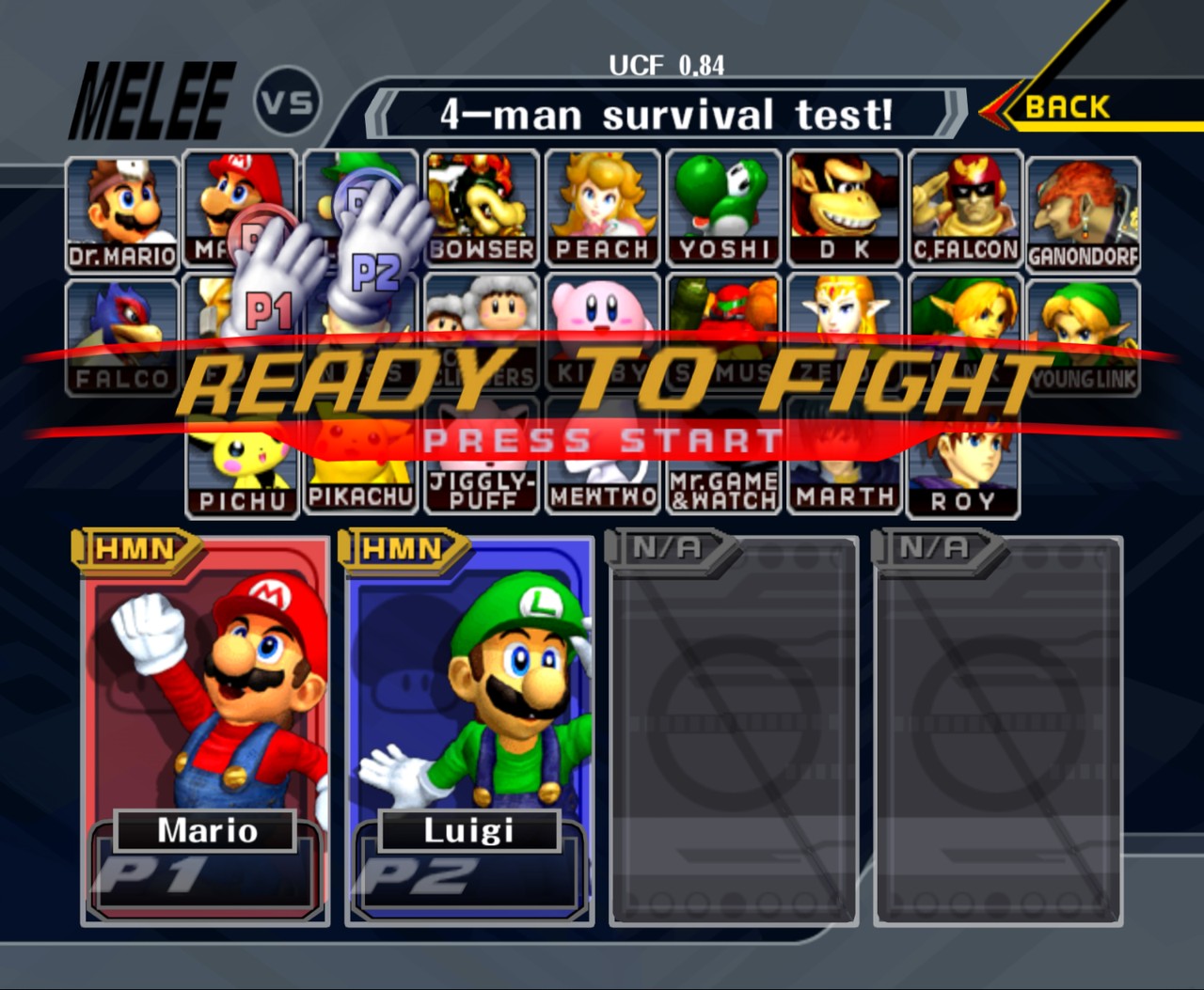 | 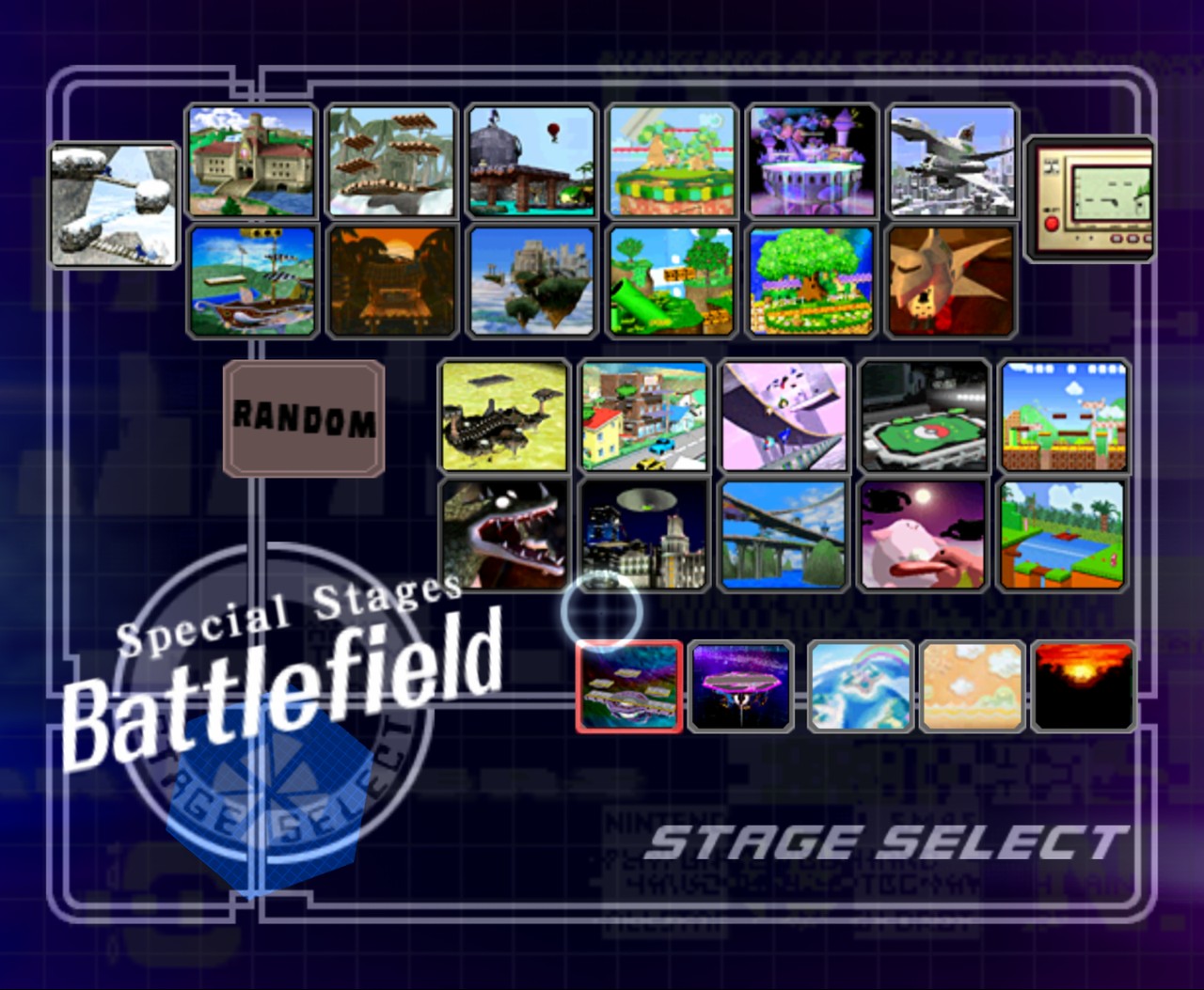 |
| Character select | Stage select |
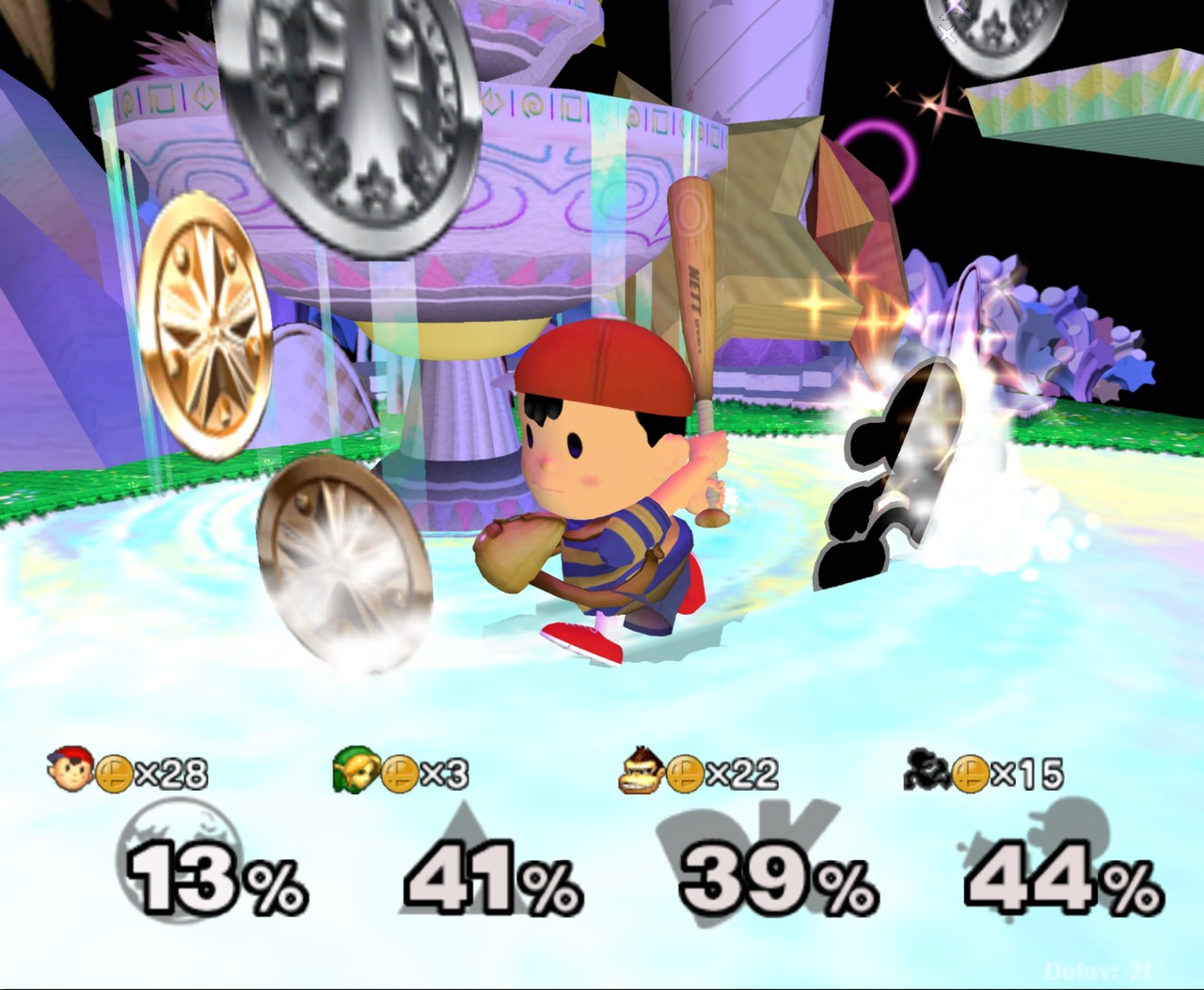 | 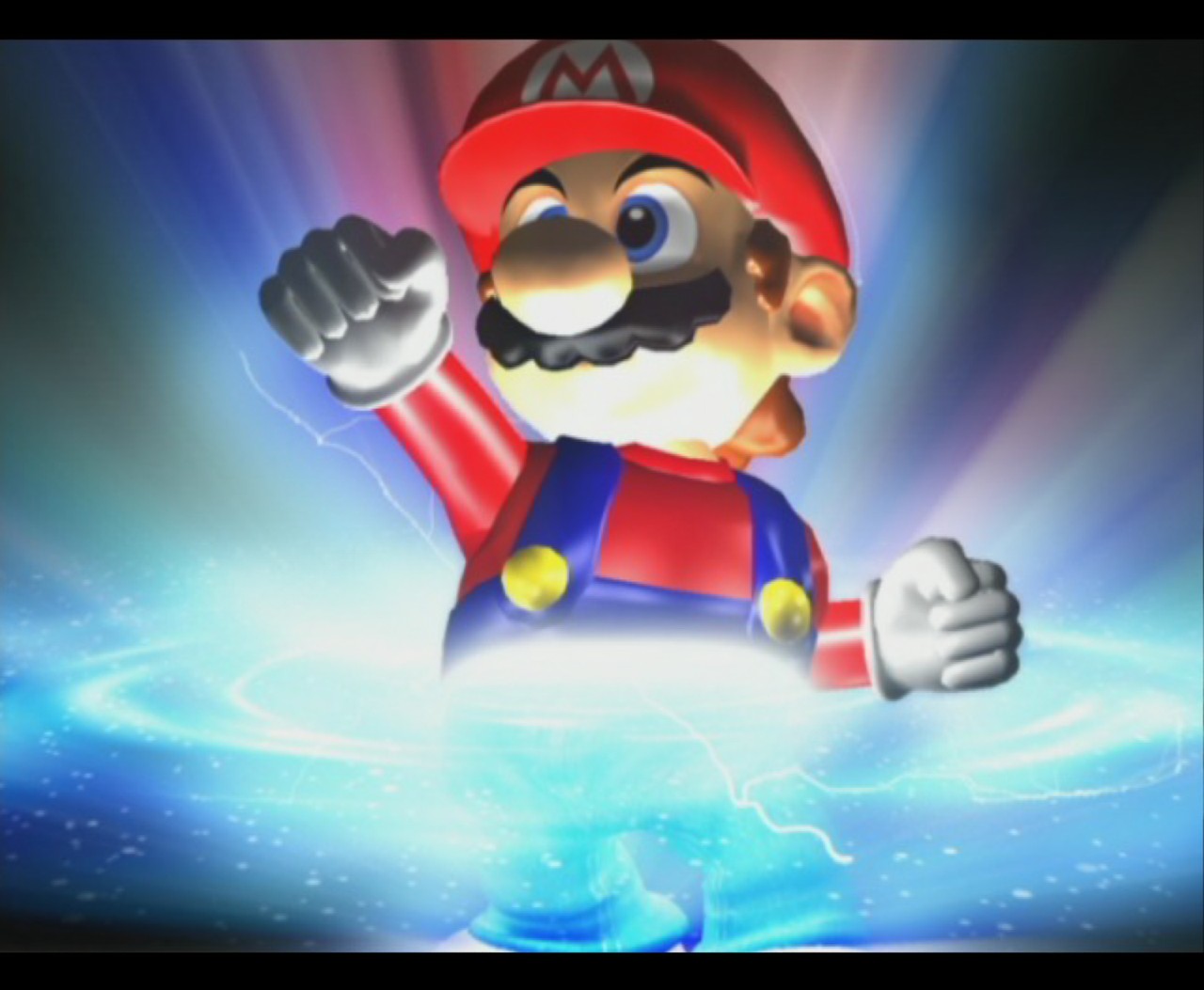 |
| Fountain of Dreams | The opening movie |
PC settings (F1)
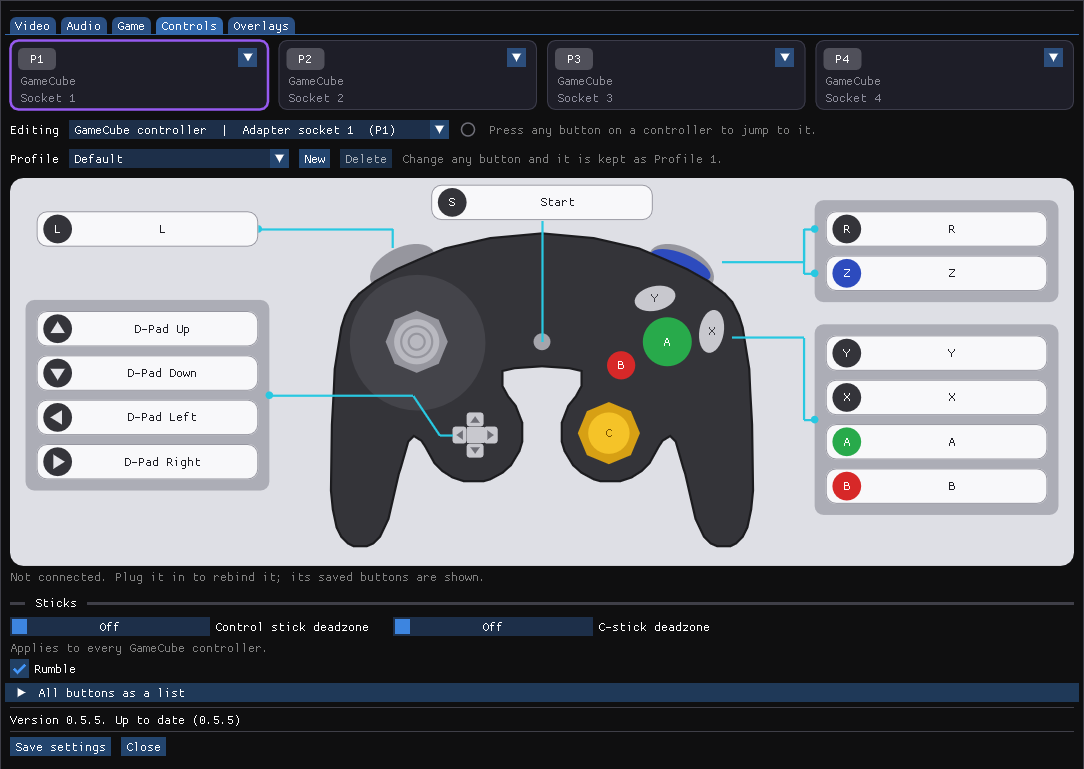 | 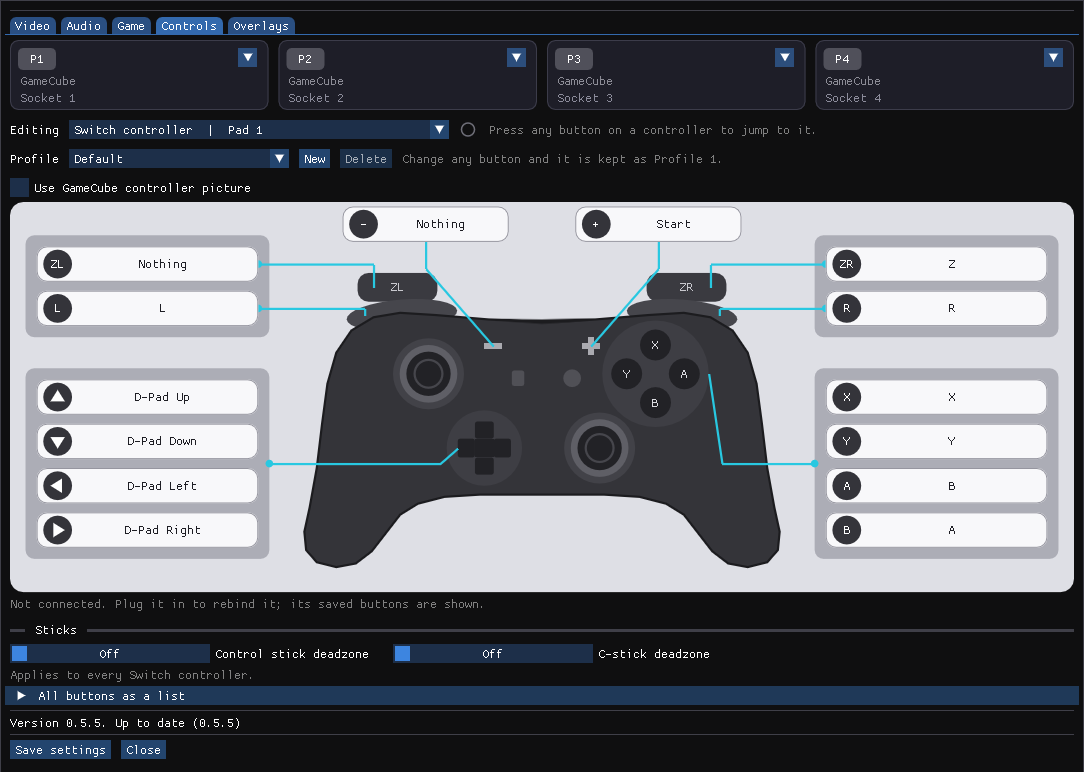 |
| Controls: click a button on the controller to rebind it | Switch Pro controllers get their own layout |
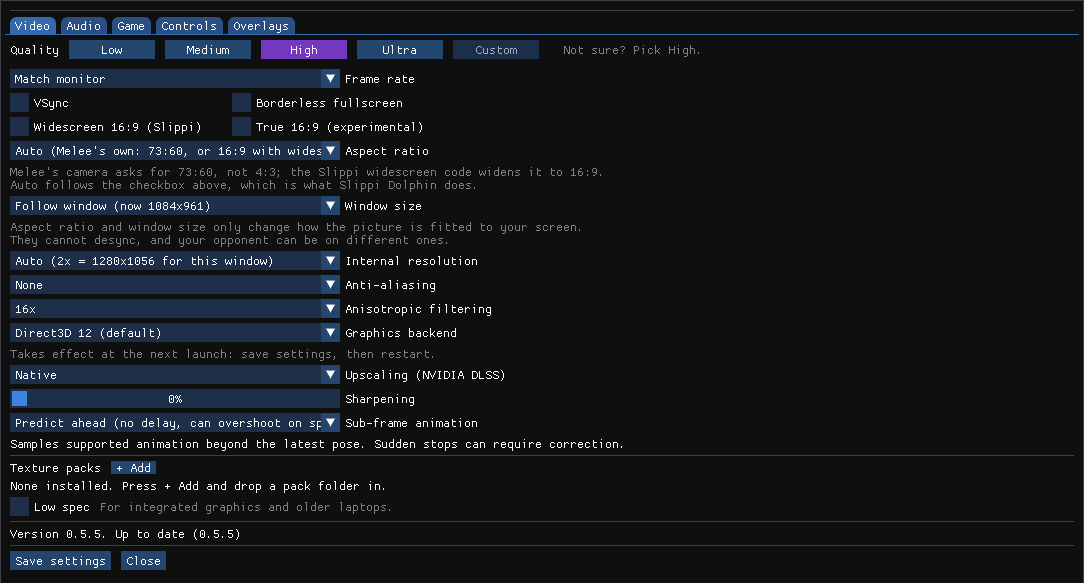 | 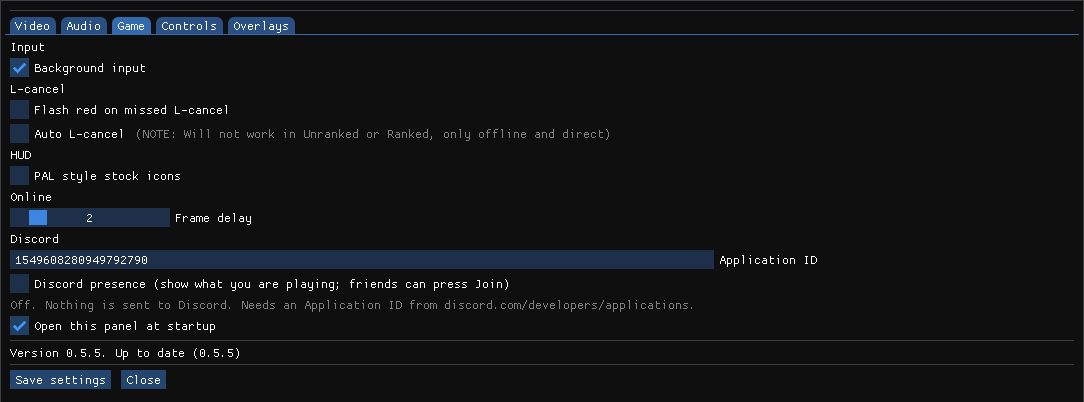 |
| Video: one-click quality presets, DLSS and DLAA | Game: L-cancel helpers, PAL stock icons, frame delay |
Install
Download MeleeUnlocked--Stable-Recomp-Legacy-win64.zip from Releases and extract it anywhere. Then pick one of two ways to run it. The launcher is optional; the game does not depend on it, and the manual way is complete on its own.
Manual (no launcher)
- Drag your Melee NTSC 1.02 ISO onto
MeleeUnlocked.bat, or put the ISO next to it namedmelee.isoand double-clickMeleeUnlocked.bat. - Play. The first launch precompiles the graphics pipelines (15 to 30 seconds, progress in
the title bar). In game, F1 (or Start + D-pad Down + Z on a GameCube controller) opens the PC settings; Melee's own Options menu also has a PC Settings entry.
- To update, extract a newer zip over the folder. Settings, saves and replays are kept.
Native DualShock 4 support is experimental. Connect a DS4 by USB or Bluetooth, open PC settings with F1, select a DS4 tab, rebind its actions if needed, and assign it to a game port. It uses Windows Raw Input directly; DS4Windows is not required.
Melee Unlocked Launcher (optional)
A small window in the same zip, MeleeUnlockedLauncher.exe, for people who want setup, updates and the Slippi account check in one place.
- Build tab: drop the ISO onto the window. It checks the disc, precompiles the graphics
pipelines for your GPU once and remembers the path. The ISO is never copied.
- Play: press PLAY. It shows which Slippi account will be used.
- Updates: it checks for a new release on every start. "Update and restart" installs it in
place; settings, saves and replays stay.
- Version rollback: choose a published Windows version from Choose version on the Play
page. The launcher downloads it into
Versions/and keeps the current game files intact. Previously installed versions remain selectable offline. The selected version is remembered; choose Current install to return. The ISO, settings, saves, and replays are shared, while each version uses its own game files andSysresources.
DLSS 5 Experimental
The current private v0.7 test package uses one integrated executable. It includes the normal DLSS / DLAA, Frame Generation, Reflex, and renderer options alongside the optional DLSS 5 neural-rendering path; no separate Legacy game executable or build selector is used. The feature is experimental and requires NVIDIA's DLSS 5 runtime/model, which is not included. Without that runtime, the game runs normally and the PC settings panel reports that DLSS 5 could not start.
For renderer diagnostics, --frame-generation enables 2x. The explicit forms --frame-generation=2x|3x|4x|5x|6x|dynamic select a driver-supported mode.
Build from source
Windows 10/11, your own ISO, about 5-10 minutes the first time. The game is translated to C++ and compiled on your machine; nothing from the ISO enters the repository.
Either drag the ISO onto play.bat in a clone of this repo (it installs Python, CMake and the Visual Studio 2022 Build Tools with winget if missing, then builds and starts the game), or:
git clone https://github.com/hero88go/melee-unlocked.git
cd melee-unlocked
python tools/extract_dol.py "C:/path/to/melee.iso" build/main.dol
python port/recomp/recomp.py --dol build/main.dol --gct-base 0x8065CC80
cmake -S . -B build-review -G "Visual Studio 17 2022" -A x64 -DMELEE_BUILD_EXPERIMENTAL_PORT=ON
cmake --build build-review --config Release --target melee_port --parallel
build-review/port/Release/melee_port.exe --iso "C:/path/to/melee.iso" --threaded-renderer --fps unlocked --frame-mode authored --scale auto --volume 70
(Add the target melee_unlocked to the build line if you want the optional launcher; run build-review/port/Release/MeleeUnlockedLauncher.exe from the checkout and it finds the repo.)
FAQ
Was this "vibe coded"?
This was developed using Fable 5.1 and GPT 6 Astra, much like the 100% decomp. You can either complain about it or enjoy it, the truth is the decomp + PC port would not have been possible or would have taken infinitely longer without the latest AI coding models. As humans we can either work with the robots or against them, I believe in technlogical progress and making cool shit, if we do not use all tools available we are choosing to limit our results. I will not handicap myself and there's no reason anyone has to wait any longer for ports and advancements like this. If I were to shy away from every new technology I would not be the person I am today.
I am interested in collabing with other developers but so far have found no collective space for this type of dicussion; PC port dicussion is actively discouraged in the Melee decomp discord My vision for the project is keeping it open source so anyone can view the work and make it better.
Features
- Unlocked frame rate (monitor rate, a fixed cap, or fully unlocked) with sub-frame animation
- Slippi online against regular Slippi Dolphin players, using your Slippi Launcher login
- GameCube adapter (WUP-028 with the WinUSB driver), keyboard fallback
- DLSS / DLAA (NVIDIA Streamline), internal resolution up to 8x, SSAA, anisotropic filtering,
sharpening, borderless fullscreen, VSync
- Direct3D 12 by default, with a Direct3D 11 renderer for machines where D3D12 will not start
(
--backend d3d11, or Graphics backend in the PC settings panel; needs a restart, no DLSS) - "Low spec" switch in the PC settings panel: one control that puts internal resolution,
anti-aliasing, anisotropic filtering, visual effects, sub-frame animation and the frame cap at their cheapest, for integrated graphics and older laptops. Turning it off restores exactly what you had before. It reduces rendering cost only; the simulation runs at the same price either way.
- Widescreen 16:9 (Slippi's own optional code, online safe)
- Aspect ratio and window size pickers (
--aspect,--window): Melee's native 73:60 by default,4:3, 16:9, or stretched to fill the window with no black bars. Presentation only, so it cannot desync and the two players in a match may each pick their own.
- Memory card saves as .gci files (Dolphin GCI-folder format, drop in your existing save)
- PC settings overlay in the game window: F1, Start + D-pad Down + Z, or PC Settings from Melee's Options menu.
Customize offers six menu appearances (Clean side, Icon tiles, GD Melee, Radial, Wide tabs and Simple), each with its own colour palettes, plus the previous compact menu on F11. Video, Audio, Game, Controls, Overlays, Customize, and Gecko Codes have their own pages. See the full v0.7 feature list.
- Fountain of Dreams reflections are on by default. The Video page can turn on Lagless FoD;
changing this only affects the optional visual code, not match rules.
- Cosmetic DAT/ZIP and Nucleus vault imports for costumes, stage visuals, and move level effects.
Stage files map to exact disc resources; non texture stage changes use vanilla online. Supplied CSPs and screenshots appear as previews in Customize. See docs/cosmetic-imports.md.
- Looping H.264 CSS and SSS backgrounds with target learning and vanilla fallback.
- Optional launcher with self-update
- Lab view (F3): the match drawn in Slippi Lab's flat style, online safe (see below)
Lab view
Shows the match the way Slippi Lab draws replays: flat character silhouettes on a plain stage, with the grid, blast zones, shields, lasers and projectiles, and a percent and stock readout. Toggle it with F3, or "Lab view" in the Overlays tab of the PC settings (F1). Menus and character select look normal; the view takes over only while a match is running.
It is display only. The view reads the same per-frame events the Slippi recording codes already send for replays and draws them over the game image, so it never touches the simulation and is safe online: your opponent's game is unaffected, and the rollback state it shows is exactly what the game is running.
The silhouettes are Slippi Lab's own animation frames and are not shipped with this build. Generate them once from a Slippi Lab checkout (Python 3, no extra packages):
git clone https://github.com/frankborden/slippilab.git
python tools/build_lab_assets.py --slippilab slippilab --out "C:/path/to/MeleeUnlocked/Lab"
The game reads Lab\ next to it (or --lab-dir). Without it, characters show as plain markers. The view runs at the game's 60 Hz; sub-frame animation does not apply to it.
Stages are drawn from the collision the game is actually using each frame, so moving platforms, Randall and Pokémon Stadium's transformations always match where characters can stand, and stages Slippi Lab has no outline for still get one. The solid body of the six legal stages is Slippi Lab's shape; if the collision cannot be read, its fixed platforms are used instead.
While the view is showing, the game's own 3D scene is not drawn, since it would be covered anyway. That makes the Lab view much lighter on the graphics card than the normal game, which helps on weak laptops. "Skip the 3D scene underneath" under the Lab view checkbox turns that off.
Slippi online
Everything Slippi Dolphin does for netplay is built in: matchmaking, rollback netcode, the Slippi code set, replay recording, game reporting. Slippi Dolphin itself is not needed and is not touched.
Is the Slippi Launcher required? For online play, yes: a Slippi account is required and accounts are created and logged in only through the Slippi Launcher. Install it, log in once, and the game picks up that login automatically (the optional Melee Unlocked Launcher shows the account on its Play page and links to the download if none is found). The Slippi Launcher also installs the WinUSB driver a GameCube adapter needs. For offline play the Slippi Launcher is not required. NOTE: we are not affiliated with the Slippi team.
Unranked, Direct codes and Teams work against players on regular Slippi Dolphin; they change nothing on their side. Replays (.slp) are written to Replays\.
The optional launcher's Multiplayer Lobby tab offers an opt-in peer-to-peer lobby. Checking Go Online lists your name for reachable players and enables match requests while the launcher is open. The lobby works without a Melee Unlocked server. It uses DHT discovery and direct encrypted messages for the roster, chat, friends, presence and match requests, then starts accepted matches through Slippi Direct. Reachability depends on each player's network; this experimental mode has no relay or guaranteed global chat history. See the lobby setup and limitations.
Bug reports
Open a GitHub issue using the template. Attach melee_port.log from the game folder, your port-settings.ini, and the .slp replay if the bug happened in a match.
Repository layout
port/recomp/ is the recompiler (Python): it reads the DOL and the Slippi code tables (port/slippi_sys/, vendored from Slippi) and writes port/generated/ (not committed). port/runtime/ is the host runtime: PowerPC helpers, HLE of the GameCube SDK (OS, VI, PAD, DVD, AI/AX audio, CARD, EXI), the Slippi EXI device, netcode, game reporting, the D3D12 and D3D11 renderers and the sub-frame solver. port/app/launcher.cpp is the optional launcher. tools/ holds validation, benchmarking and packaging scripts. See PORT_COMPLETION.md for the technical state and evidence, and docs/v0.7-feature-list.md for the current feature list.
tools/package_release.py produces the release zip (version from VERSION). The replay playback build (melee_port_playback, used to verify frame-exactness against Dolphin replays) is described in PORT_COMPLETION.md.
Verification
Development launcher: run-native.bat (or python tools/launch_native.py --iso ...) starts the build in build-review/port/Play/ if present, else the Release build, muted and windowed by default.
ctest --test-dir build-review -C Release: unit testspython tools/validate_native.py --iso: 2400 simulation checkpoints must match acrossheadless, hidden, threaded and authored rendering
python tools/online_pair.py --script port/scripts/online_bot.txt: two local instances play afull Slippi online match; the log must show no
DESYNC
License
GPL-3.0-or-later, starting with 0.8.5 (0.8.1 and earlier: GPL-2.0-or-later). See LICENSE and NOTICE. Parts of the runtime are ports of Dolphin and Slippi Ishiiruka code (GPL-2.0-or-later) and of Slippi's game code (GPL-3.0). NOTICE lists every third-party component and its license; a release carries the license texts in licenses/. The NVIDIA and Intel runtime files keep their own terms (see the additional permission in NOTICE). Super Smash Bros. Melee is the property of Nintendo and HAL Laboratory; this project contains none of its data.
Credits
Hero88go - developer
Johnny Brookes Aka Lainthewired for their major contribution of the last graphic error fix that took this project from alpha -> beta. Could not have done it without them
From the project's repository, fetched . Images load from GitHub.
Releases
Feed-
Release notes
Install
Download
MeleeUnlocked-0.8.70-win64.zipfrom this release. Close the game and launcher, then extract it over your existing Melee Unlocked folder. Settings, saves, mods and replays stay in place. Use your own Melee NTSC 1.02 ISO.Crash fixes from your reports, a replay queue with search, and Source Port and Static Recomp players can match in the lobby.
Fixes
- Source Port: Peach pulling a Beam Sword with her down special made an item that does not exist, which crashed the match. The pick now returns the Beam Sword.
- Source Port: Adventure crashed on the Kirby stage (the team of Kirbys, Giant Kirby). The spawn list and a callback shared the same memory.
- Static Recomp, 20XX Hack Pack: after a song change the old music voice was never released, and a sound that later took its place could keep playing until the game closed. It is released now.
- Static Recomp: saving could stop the game with "No mapping for the Unicode character exists in the target multi-byte code page". Save file names are no longer converted through the system code page, and a save that cannot be written is logged instead of ending the game.
- Lobby: a Source Port player and a Static Recomp player on the same version were told to "Choose the same Game Build". The two builds play each other, so only the version has to match. Both players need this version.
- Launcher: buttons and lobby rows are drawn off screen and shown in one step, and the lobby repaints when a list fills or empties (a stray shape stayed above the first player).
New
- Replay Viewer: pick several replays in any order with the round badge on each card, then Watch queue plays them one after another. Closing the game stops the queue.
- Replay Viewer: a search box (players, codes, characters, stages, file names), a sort menu (most recent, least recent, longest, shortest) and Hide short games.
Notes
- A crash report for an internal error now says where the error was raised.
-
Release notes
Install
Download
MeleeUnlocked-0.8.69-win64.zipfrom this release. Close the game and launcher, then extract it over your existing Melee Unlocked folder. Settings, saves, mods and replays stay in place. Use your own Melee NTSC 1.02 ISO.Online fixes for the Source Port, safer replay reading and updates, and a key to mark lag moments.
Fixes
- Source Port: online games were never reported to Slippi at the end of the game. They are now, as on the Static Recomp.
- Online: matches ran at 60.00 frames a second while Slippi Dolphin runs the console's 59.94, so this side slowly drifted ahead of the opponent. Online matches now run at 59.94.
- Launcher, replays: a replay with a short start block was read past its end, and a damaged frame number could make the replay list reserve hundreds of MB. Both are checked now.
- Updater: a download is checked against the SHA-256 the release lists before it is installed, redirects from HTTPS to HTTP are refused, and the archive's contents are checked before an ordinary update unpacks it.
- Skins: giving a skin the picture from a costume's portrait-only entry now turns that entry off, so the standard costume shows its own portrait again.
New
- Online: press F8 when something feels wrong. The moment is marked in the match's
.tracefile and in the log, so a report can point at it.
Notes
- The game log now starts with the version and the settings that affect how a match plays.
- The updater checks apply from the next update on: this one is installed by the 0.8.68 updater.
-
Release notes
Install
Download
MeleeUnlocked-0.8.68-win64.zipfrom this release. Close the game and launcher, then extract it over your existing Melee Unlocked folder. Settings, saves, mods and replays stay in place. Use your own Melee NTSC 1.02 ISO.Hotfix for 0.8.67: crashes from the new crash reports, the 20XX Hack Pack's music, skins that were wrongly turned off online, and replays can now be paused and navigated.
Fixes
- D3D12: switching exclusive fullscreen on or off during a session stopped the game with "swapchain failed". The display is no longer rebuilt mid-session. Switched on while playing, exclusive fullscreen shows as borderless until the next start.
- 20XX Hack Pack: every song repeated its first two seconds. Music plays through normally.
- Launcher: right after an update the Mods page showed the previous version's verdict ("Not supported yet") until the disc had been read again. It says "Checking..." during that time.
- Launcher: an installed 20XX Hack Pack showed a "Direct only" line. The pack has no online play; the card says so.
- Skins online: costumes exported from a model tool were turned off online because of a joint setting the game replaces with its own every time an animation plays. They stay on now.
- Static Recomp: L and R changed skins on the online Teams character select screen before the first search. Costumes are fixed by team there, so they no longer do.
- DLSS 5 with a widescreen picture: the model was given the picture before it was squeezed to the screen's shape. It now gets a screen-shaped picture.
- File names with letters outside the system's own language are read as UTF-8 everywhere.
New
- Replays can be paused and navigated, on both versions. Space or Start: pause. Right or
.while paused: one frame. Left and Right: 5 seconds back or forward (Shift: 30 seconds). Hold Tab or R: fast forward.[and]: slow motion. Home: restart. A bar at the bottom shows the time and takes clicks. - Replay Viewer, "Show it as it was played": when an online replay has its
.tracefile beside it, the viewer holds the picture where the game waited and shows the Network and timing overlay as it was. - Source Port, Settings, Game: CPU training options, offline only. CPU tech (in place, roll forward, roll back, miss, random), CPU getup, CPU DI (none, random, survival), CPU smash DI, CPUs always L-cancel, CPUs never taunt, CPU Captain Falcon without rapid jab, CPU Zelda and Sheik without transform.
- Skins on the character select screen: Ice Climbers change as a pair when the pack has a skin for both.
- Skin portraits: a skin that has its own portrait always shows it, so L and R change the picture with the skin. Settings, Mods, a skin's Details: "Portrait" and "Stock icon" let you give any skin a picture, from a file or from another skin. A picture added to a costume fills in where a skin has none. Each color shows how many skins it has.
Notes
- A crash at start that left only an exception code in the report now names what failed and where. If the game still stops at start for you, please send the new report.
- Akaneia, Adventure mode as one of its new fighters: the game stops at a cutscene because the disc has no cutscene animation for that fighter. This is in the mod itself.
- A replay recorded with CPU training options on plays back with them, whatever your settings are.
-
Release notes
Install
Download
MeleeUnlocked-0.8.67-win64.zipfrom this release. Close the game and launcher, then extract it over your existing Melee Unlocked folder. Settings, saves, mods and replays stay in place. Use your own Melee NTSC 1.02 ISO.Hotfix for 0.8.66: the 20XX Hack Pack can be started from the launcher, CPUs fight again on the Source Port, skins can be changed on the character select screen, and several crashes are fixed.
Fixes
- Source Port: CPU players walked up to their opponent and never attacked. They fight now.
- Source Port: Samus's forward air played as loud distortion. A sound cut off mid-sample started its fade from the wrong level.
- Source Port: Multi-Man Melee crashed a few seconds in. It read its opponent list from the disc wrongly.
- 20XX Hack Pack: the launcher still showed "Not supported yet" and Play was greyed out. It plays on the Static Recomp from the Mods page.
- D3D12: the game stopped at start with "pso failed" when a file in the shader cache was damaged. The shaders are built again instead.
- D3D12: frames could line up behind the display when the graphics card was the limit, which added input delay. At most one frame waits now.
- Uncapped frame rate: the picture is held at twice the display's refresh rate, so the game and input threads are not starved.
- Texture memory is kept under a budget on every graphics card, not only on small ones.
- ACE: the results screen stopped the game when the winner was a fighter whose victory tune is not on the disc. Another victory tune plays instead.
- Controls: with a trigger set to a light shield value, a button bound to L or R was ignored. A bound button now gives the full press, so L+R+A+Start works with a bumper.
- Controls: controller profiles did not save the control stick keys, and loading or saving one wrote past the end of its list.
- Replays: a replay of a match played on a mod (its stage is not in the standard game) sat on a blank screen. The launcher now says it needs that mod, and the viewer exits with the reason in the log.
- Crash reports: after watching a replay, the launcher could offer a crash file left by an earlier version as if it were new.
New
- Skins on the character select screen: with a fighter picked, L and R step that costume through its installed skins. No restart, on both versions.
- Hack Pack costumes: the alternate costumes in the pack (alt L and alt R) show in your skin list. Mods tab, Costume packs: "Use all", "Use alt L", "Use alt R" or "Use none" sets every costume the pack covers in one press. The launcher's Mods page has a "Choose skins" button that opens there.
- 20XX CPUs is a normal option now: Settings, Game, on both versions, no 20XX TE needed. Offline only. The Static Recomp needs the 20XX Hack Pack disc under Mods, and a match played with it is not saved as a replay.
- Overlays, "Network and timing": the last 10 seconds of an online match as you got them: frame time, waits for the other player, rollbacks, time sync and ping. Every online match also saves a
.tracefile next to its replay with the same data, to send with a report. - Controls, "Per button": each button bound to L or R has its own press depth, and each analog trigger binding its own press point.
- DLSS 5: "Remove haze" slider under Video, Advanced. Off by default.
Notes
- If the game gets less responsive the longer you play, send
melee_port.logfrom that session. The log now records graphics card time per frame. - Hack Pack discs scanned by 0.8.66 are scanned again on the first start.
-
Release notes
Install
Download
MeleeUnlocked-0.8.66-win64.zipfrom this release. Close the game and launcher, then extract it over your existing Melee Unlocked folder. Settings, saves, mods and replays stay in place. Use your own Melee NTSC 1.02 ISO.Hotfix for 0.8.65: skins online, the lobby, volume, and fixes from your reports. The 20XX Hack Pack runs on the Static Recomp.
Fixes
- Skins online: a skin made with a model tool was replaced by the standard costume in online matches, with no message. The check that keeps online matches in sync was stricter than it needed to be. Skins that keep the standard skeleton now stay on.
- Lobby: players could not see each other when the network the lobby uses to find players was partly down. The launcher has more ways into it.
- Volume and Music: moving only these sliders did not save, and the game could come back at full volume. Both save now.
- Source Port online: when the opponent disconnected, the picture froze until the game was closed. The match now ends with the disconnect message.
- D3D11 on integrated graphics: resizing the window could close the game when video memory ran out.
- Mods: an ACE disc was listed as Akaneia 1.0.0. It is listed as ACE.
- Direct with a mod against an opponent on Slippi Dolphin: the match starts on its own. The "Opponent uses it on Slippi Dolphin" switch is gone.
- Lobby: "Finish game setup" now says to choose your Melee ISO on the Play page.
New
- 20XX Hack Pack 5.0.2 on the Static Recomp: add the disc under Mods. It runs without Slippi's code, so there is no online play or replay recording while it is loaded, and the picture is 4:3.
- Skins from a mod disc: costumes in a disc under Mods show in your skin list as "from that disc" and can be used in the normal game, online too when they keep the standard skeleton.
- Mods tab: each skin says whether it stays on online, and why not. A notice shows when you go online with a skin that is switched off there.
- Private chat in the lobby: pick a player, Private Chat. They accept or decline; a room opens for the two of you.
- 20XX CPUs (Source Port, with 20XX TE on): CPUs play with the 20XX Hack Pack's AI. Off by default, offline only.
- Frame delay: the setting shows how much input delay a value above the default adds.
Notes
- Lobby matches and private chat need both players on 0.8.66.
- The log says when the game waited for the other player's inputs and for how long. If a match felt off, send
melee_port.logfrom that session.
-
Release notes
Install
Download
MeleeUnlocked-0.8.65-win64.zipfrom this release. Close the game and launcher, then extract it over your existing Melee Unlocked folder. Settings, saves, mods and replays stay in place. Use your own Melee NTSC 1.02 ISO.Hotfix for 0.8.64: imported portraits and stock icons that did not show.
Fixes
- Imported stock icons did not change for any costume other than the default one. They now show for every costume, and Sheik's icon is its own instead of Zelda's.
- Imported portraits did not show for 13 costumes, Captain Falcon's blue one among them. The others: Kirby white, Yoshi aqua and pink, Marth white, Peach green, Jigglypuff yellow, Samus lavender, Zelda white, Young Link black, Dr. Mario black, Roy yellow and Ganondorf lavender.
- Add portrait: the costume lists of Captain Falcon, Young Link, Donkey Kong and the Ice Climbers are in the game's order.
- Choosing a modded disc as the Melee disc gave a crash report. The launcher now says to add it under Mods instead.
- D3D11 with V-Sync on: at most one finished frame waits for the display, instead of the default of three.
Notes
- Online: the log now says when the game waited for the other player's inputs and for how long, and the summary line counts those waits. If a match felt delayed, send
melee_port.logfrom that session. - Lobby matches need both players on 0.8.65.
-
Release notes
Install
Download
MeleeUnlocked-0.8.64-win64.zipfrom this release. Close the game and launcher, then extract it over your existing Melee Unlocked folder. Settings, saves, mods and replays stay in place. Use your own Melee NTSC 1.02 ISO.Hotfix for 0.8.63: the freeze at Master Hand, menus on 4K displays, and GameCube adapter rumble.
Fixes
- Source Port, Classic mode: the game froze at the start of the Master Hand fight. His HP and timings were read wrongly from the disc, so the game treated him as already beaten.
- Choosing a file that is not a full Melee NTSC 1.02 disc image (a compressed image, another game or another version) gave a crash report. The launcher now says what is wrong before the game starts.
- The launcher's Settings window follows the display scaling of Windows. On a 4K display it opened small, with small text.
- The in-game settings panel, the Esc menu and the overlays grow with the window above 1080p. At 1080p and below they are unchanged.
- Results screen (Source Port): the fighter portraits in the placing panels were black, and every player was drawn as the winner.
- GameCube adapter: rumble commands are sent on their own thread, so a rumble change no longer delays the next controller read.
Notes
- The log now has one line per online game with the frame delay, average ping, rollbacks and stalled frames. If a match feels off, send the log from that session.
- Lobby matches need both players on 0.8.64.
-
Release notes
Install
Download
MeleeUnlocked-0.8.63-win64.zipfrom this release. Close the game and launcher, then extract it over your existing Melee Unlocked folder. Settings, saves, mods and replays stay in place. Use your own Melee NTSC 1.02 ISO.Hotfix for 0.8.62: crashes from your reports, controllers and the settings panel, portraits on their own, the game language in the PC settings, and private crash reports.
Fixes
- Source Port with a skin or file pack: going from the practice screen into Unranked could stop the game. The game switched to the original files for online play but kept files it had already loaded from the pack.
- Source Port: fixed crashes in Adventure mode in the Mushroom Kingdom when a block is hit, in the trophy list in the Gallery, and on the Target Test stages of Mewtwo and Jigglypuff.
- Controllers: after the settings panel closed, the game could stay without controller input when a second controller was plugged in and not at rest. The panel now follows the controller that was last picked up.
- Controls tab: it opens on the controller that plays as player 1, so an Xbox-type controller shows its own buttons and trigger settings instead of the GameCube page. LT and RT can be bound like buttons.
- The launcher's Settings window no longer turns "Auto-open in-game overlay on startup" back on.
- Portraits and stock icons show with a large texture pack on. They always take priority over a pack's picture.
- GameCube adapter: the game now asks the adapter for input at the highest priority. This is meant to stop the polling rate from dropping below 1000 Hz on adapters that show it.
- D3D12 on graphics cards with little video memory: running out of memory for a texture no longer closes the game.
- Crash reports: names, account codes, addresses and folder locations are removed, and memory dumps stay on your PC. A readable
melee_crash_report.mdis saved next to the ZIP.
New
- Portraits and stock icons on their own: Mods tab, Add portrait. Pick the fighter and the costume, then choose a PNG. It works on an original costume and on a skin. A PNG named after the costume, like
Fox Green.pngorPlFxGr stock.png, imports directly, alone or in a ZIP of pictures. - Game language in the PC settings: Game tab, Game language. Japanese gives the Japanese menus, fighter names and announcer calls.
- Quick chat can be switched off: Game tab, Online, Quick chat.
- Triggers: the point where a trigger counts as a full press is a setting, per controller type.
Notes
- Lobby matches need both players on 0.8.63.
-
Release notes
Install
Download
MeleeUnlocked-0.8.62-win64.zipfrom this release. Close the game and launcher, then extract it over your existing Melee Unlocked folder. Settings, saves, mods and replays stay in place. Use your own Melee NTSC 1.02 ISO.Hotfix for 0.8.61: costume and stage imports, and a clear message when a mod disc is set as the Melee ISO.
Fixes
- Costume and stage imports: a costume kept offline-only (its skeleton differs from the original) could stop the game. A shorter file than the original stopped it when a match loaded that fighter, on both engines. A longer one stopped an online match on the Static Recomp. Both now load, and online the original is used as before.
- Imports accept
.usdfiles, alone or inside a ZIP. - Captain Falcon's red costume and Pokemon Stadium: an import now replaces the English file too. The disc keeps these twice, and the English game loads the
.usd, so an import used to change nothing unless the game language was Japanese. - Static Recomp: starting a mod with a modified disc set as the Melee ISO now shows a message asking for a clean NTSC 1.02 ISO. It used to stop at boot with a sound error.
Notes
- Lobby matches need both players on 0.8.62.
-
Release notes
Install
Download
MeleeUnlocked-0.8.61-win64.zipfrom this release. Close the game and launcher, then extract it over your existing Melee Unlocked folder. Settings, saves, mods and replays stay in place. Use your own Melee NTSC 1.02 ISO.Hotfix for 0.8.6: widescreen, song titles on mod discs, exclusive fullscreen, Training Mode CE and a few smaller fixes.
Fixes
- Widescreen, both modes and both engines: the main menu and its submenus fill the screen again, as they did in 0.5 and 0.6. With the Slippi code they were squeezed between side bars.
- True 16:9: fighters are drawn in the added side areas, as with the Slippi code. Before, a fighter outside the old 4:3 area disappeared and only the bubble showed. The P1/P2 tags now sit over their fighters.
- Akaneia and ACE: the song title at the start of a match shows with Visual effects on Reduced or Minimal.
- Akaneia and ACE: stages that read the clock get your PC's date and time. They used to see January 1, 2000 at every start. Save files are dated correctly too.
- Exclusive fullscreen no longer asks Windows to switch the display to the Window size setting, so the desktop resolution stays as it is.
- Closing the game no longer ends in a crash report on some NVIDIA systems. The upscaler libraries crashed while the game was shutting down.
- DLSS: after the window was maximized or went fullscreen, the menus retried an upscaler setup step on every frame and filled the log with errors. It is now tried once.
- Training Mode CE (Source Port): on-screen displays switched on in Lab > General > OSD Menu now appear in a match. Changing one no longer crashes the game.
- Training Mode CE (Source Port): Model Display, Fighter Collision and Item Grab Sizes work in the Lab. The down-throw knee event runs instead of restarting. Scrolling an option past its last value no longer crashes.
- 20XX TE settings screen and the debug menu (Source Port): the selected row is highlighted again.
New
- Gecko codes on the Static Recomp: codes that overwrite the game's instructions (04 and the other write types) can now be switched on. C2 codes still cannot run.
Notes
- Lobby matches need both players on 0.8.61.
- Training Mode CE (Source Port): the L/R display menu on the event list is not in yet. Use Lab > General > OSD Menu. Frame advance steps with L unless changed under Lab > Controls.
-
Release notes
Install
Download
MeleeUnlocked-0.8.6-win64.zipfrom this release. Close the game and launcher, then extract it over your existing Melee Unlocked folder. Settings, saves, mods and replays stay in place. Use your own Melee NTSC 1.02 ISO.Fixes for the 0.8.5 mod update: fighter sounds and a crash in Akaneia and ACE, Wavedash Training, two Source Port crashes, and crash reports, plus a trigger setting for digital triggers.
Fixes
- Akaneia and ACE (Static Recomp): fighter voices and fighter sound effects play again, for the new fighters and the original cast (Fox's laser and taunt included).
- ACE (Static Recomp): fixed a crash in the middle of a match (seen with Tails on Minecart Madness). A game event could arrive at a moment that erased where the game had to return to after starting a sound.
- Classic mode (Source Port): fixed a crash at a stage intro.
- Source Port: a disc image the game cannot read now shows a message asking for a clean, uncompressed 1.02 ISO instead of crashing at startup.
- Training Mode CE (Source Port): Wavedash Training no longer stays on the loading screen. Edgeguard Training had the same problem and is fixed too. Exercises that read a fighter's movement values (landing lag, gravity, friction) now read them correctly.
- A game that stops with an error, including an error inside a mod's code, now shows a message and leaves a crash report the launcher can send. Before, it closed to the launcher without a word.
- Static Recomp: disc reads now land in memory when they complete, and a cancelled read is dropped.
New
- F1 > Controls > Triggers: a value for L and for R, per controller type. Full works as before. A number makes that trigger analog only, like Dolphin's L-Analog / R-Analog setting: a digital or hair trigger (such as a Switch controller's ZL) gives a light shield, while the other trigger keeps its full shield. Melee shields lightly from 43 (lightest) to 140 (hardest).
Notes
- Both players need 0.8.6 for a Direct match on a mod disc.
- ACE remains experimental.
-
Release notes
Melee Unlocked 0.8.5: Experimental Mod Update
Install
Download
MeleeUnlocked-0.8.5-win64.zipfrom this release. Close the game and launcher, then extract it over your existing Melee Unlocked folder. Settings, saves and replays stay in place. Start the includedMeleeUnlockedLauncher.exe; use your own Melee NTSC 1.02 ISO.The archive includes Source Port and Static Recomp. This is an experimental mod update: compatibility and training exercises still have gaps. Keep a copy of your previous installation if you need to return to it.
Mods and training
- Add several mod files at once, use the Mods catalog, or drop files in the Mods folder. Recognized playable packs start On; unsupported packs stay Off with a reason. Custom entries retain their own names. Updates preserve profile saves, and the Mods page exposes file conflicts.
- Supported 20XX Tournament Edition saves and UnclePunch Training Mode CE 1.4d1 run on Source Port. TE settings are under VS Mode > Tournament Melee or F1 > Mods; UnclePunch exercises are under 1P Mode > Event Match.
- TE and TM-CE can share a profile. TM-CE owns the exercise's CPU, stage, camera and pause rules, while TE's stored VS choices remain available. Fixed exercise pause/exit issues, including Eggs-ercise controls.
- One L-cancel flash selector appears on Game, Mods and built-in codes: Off, MU missed (red), TE missed (red), TE success, or TE both. Successful TE flashes can be Off, White or Green. Only one flash implementation runs. Selecting a TE effect enables its feature master. Locked TE choices now remain visibly unchanged in the native menu; unlocking preserves the other choices.
- Akaneia uses Static Recomp. Direct requires the same complete mod build on both players; mismatched content is rejected. Added fighters are accepted only by a matching Static mod session. Akaneia cannot enter Unranked: launch vanilla for Unranked.
- Source Port training profiles use retail content for Unranked, Teams and Party. Training preflight keeps the exercise loaded while searching, then changes content at the online handoff. A failed search leaves the exercise available.
The 20XX Training Hack Pack is not supported; ACE remains experimental and its VS route is not validated. TE's original memory-card replay manager, extended tag/save fields and TM-CE's console global OSD shortcut are not ported. This release does not claim that every training exercise has been exhaustively tested. See training compatibility.
Audio
- Auto and Low latency request the minimum shared Windows period supported by the selected driver. Auto adapts its software queue after actual gaps and remembers the device setting. Exclusive and optional ASIO provide separate device/driver choices and require a restart.
- Each native 5 ms audio block is submitted when mixed. Startup graphics preparation, GPU completion and disc-cache warming finish before simulation and audio start. Fixed audio continuity, pitch, music fades and volume transitions.
- Audio controls distinguish software buffering from the driver/device period. Lower buffers can produce gaps; measured latency depends on the selected device and driver. This release makes no universal fastest-mode or physical GameCube latency claim.
- ASIO SDK notices, Steinberg trademark/logo credits and free DSP coefficient provenance accompany the download.
Launcher, video and other fixes
- Launcher language choices, Slippi-code friend entry, match-request banners and mod compatibility indicators. Accepted mod lobby games use matching Direct builds.
- Crash reports can be sent through the launcher, with crash text, minidump and logs.
- Fewer duplicated settings; uncommon video and overlay options are grouped under Advanced. TE screen rumble and input-display preferences follow the port's corresponding settings.
- Fixed mod scanning while downloa…
-
Release notes
Fixes for the Source Port.
Install
Download the Windows archive from the release page:
MeleeUnlocked-0.8.1-win64.zip: the one build for everyone. It includes both game builds.
Close Melee Unlocked, then extract the archive over your existing game folder, or use the launcher's Update button. Your settings, saves, and replays carry over. Keep your own Melee NTSC 1.02 ISO beside the game files as
melee.iso, or select it with the included launcher.Fixes
- Fixed the crash or freeze going into the second online game, in Unranked and Direct.
- Fixed a crash after a match ends.
- 1P Classic, Adventure and All-Star work on the Source Port: fixed crashes on picking the mode and on the Stage Clear screen.
- Fixed the game closing on the Rumble screen, and crashes on the Erase Data, VS Records and Data > Info screens.
- Rumble follows the Controller rumble setting again, online only your own controller rumbles, and replays no longer rumble.
- Event Match works on the Source Port.
- Fixed a crash when a fighter touches Brinstar's lava and other stage hazards.
- Replay Viewer: stats headers no longer cut off.
Notes
- If something crashes, please send the melee_port_crash files from your game folder.
-
Release notes
<img width="1027" height="861" alt="image" src="https://github.com/user-attachments/assets/fbe0a5fe-4ca6-42ca-af4b-0f5947c3b0f2" />
A second way to run the game: the Source Port, Melee rebuilt as native PC code, now with Slippi online.
Install
Download the Windows archive from the release page:
MeleeUnlocked-0.8.0-win64.zip: the one build for everyone. It includes both game builds.
Close Melee Unlocked, then extract the archive over your existing game folder, or use the launcher's Update button. Your settings, saves, and replays carry over. Keep your own Melee NTSC 1.02 ISO beside the game files as
melee.iso, or select it with the included launcher.Source Port
- Pick it on the launcher's Play page under Game Build: Static Recomp or Source Port. Static Recomp stays the default.
- Boots straight into Online Play, like Slippi.
- Slippi online with rollback: Unranked, Direct and Teams, through Slippi's own menus.
- Plays against regular Slippi Dolphin players.
- Party shows in the online menu.
- Online replays are saved like Slippi's.
- Chat on the character select screen.
<img width="700" height="450" alt="image" src="https://github.com/user-attachments/assets/941d25f5-132b-4b97-9106-2de31ad8a168" />
DLSS 5 (experimental)
- Looks and processing presets, plus Overall intensity, Structure intensity, Local tone intensity, Skin structure strength, Character mask, Model A/B/C, neural resolution, pass count, scaling filters and reconstruction.
- Needs an RTX 50 card, Direct3D 12, DLAA or DLSS, and your own NVIDIA model file (
nvngx_dlssnr.dllbeside the game). The settings panel tells you if it is missing. - In our tests more than one pass darkens moving fighters and leaves trails. One pass is recommended.
<img width="1896" height="982" alt="image" src="https://github.com/user-attachments/assets/af9f4041-c075-422c-a077-5d8231896cc3" />
<img width="1919" height="1080" alt="image" src="https://github.com/user-attachments/assets/198f7081-a0a8-44e7-a7b2-b3946de5170c" />
Launcher
- New Multiplayer Lobby tab. Tick Go Online to appear to other players. It connects players directly, with no Melee Unlocked server.
- Profile with name, location (optional) and three mains. Your first main is your avatar. Your Slippi code comes from your linked Slippi account.
- Lobby chat with timestamps and emoji. Friend requests, and friends' online, in-game and in-match status with their stocks.
- Match requests show the other player's location, mains and direct ping. Accepting starts a Slippi Direct match. Options to auto-reject requests and set the request sound.
- Local win/loss history against each player.
- New Replay Viewer. Every match is a card with the players, winner, stage, date and length, and opens instantly even with years of replays.
- Match stats page with the same numbers as Slippi: kills, damage, openings and conversions, neutral wins, counter hits, trades, wavedashes, dash dances, inputs per minute, L-cancels, and every stock and punish with its time and percent.
- Pick your own accent color for the launcher.
- Settings opens instantly.
- Click Bailey to put your own picture in her place.
- Older versions show their release date when rolling back.
- Some networks block direct connections, so a player may not show up for everyone. There is no relay yet.
Removal of Ranked
Melee Unlocked is completely free to play, therefore access to Slippi Ranked has been removed. We will not put any modes behind a paywall, and we hope the community understands this decision and that other developers follow suit. We will never be accepting donations or profiting off this project or the Melee community whatsoever. If Slippi were to go free to play, we would have no problem working with them and integrating their ranked system.
Ranked is gone from both game builds. Unranked, Direct and Teams are all still available.
In game
- Quit game button on every…
-
Release notes
Melee Unlocked 0.7.1
Hotfix for Slippi widescreen and quitting with Esc.
Install
Download the Windows archive from the release page:
MeleeUnlocked-0.7.1-win64.zip: the one build for everyone, with optional experimental DLSS 5 and a compatibility version the launcher picks automatically on older CPUs. DLSS 5 needs NVIDIA's DLSS 5 file, which is not included.
Close Melee Unlocked, then extract the archive over your existing game folder, or use the launcher's Update button. Your settings, saves, and replays carry over. Keep your own Melee NTSC 1.02 ISO beside the game files as
melee.iso, or select it with the included launcher. Start the includedMeleeUnlockedLauncher.exeafter extraction.Fixed
- Slippi Widescreen 16:9 no longer smears the picture into horizontal streaks.
- Esc can quit the game again: Esc opens settings, Esc on the category screen asks to quit, Enter quits and Esc cancels. On a settings page, Esc goes back to the categories.
Notes
- If Unranked crashes for you, please send
melee_port_crash.txtandmelee_port.logfrom your game folder.
-
Release notes
Melee Unlocked 0.7.0
New settings menus, cosmetic imports, and one download that includes DLSS 5.
Install
Download the Windows archive from the release page:
MeleeUnlocked-0.7.0-win64.zip: the one build for everyone. It includes the standard graphics options and optional experimental DLSS 5, plus a compatibility version the launcher picks automatically on older CPUs. DLSS 5 needs NVIDIA's DLSS 5 file, which is not included.
If you were using the old DLSS 5 Experimental build, download this archive manually once; your launcher will update normally after that.
Close Melee Unlocked, then extract the archive over your existing game folder. Your settings, saves, and replays carry over. Keep your own Melee NTSC 1.02 ISO beside the game files as
melee.iso, or select it with the included launcher. Start the includedMeleeUnlockedLauncher.exeafter extraction. If you use the launcher's Update button, it does all of this for you.Major features
- New settings menu with six appearances to choose from in Customize, each with its own color palettes. The previous menu is still available on F11 after turning on Legacy Menu.
- Esc now opens the settings menu. On a GameCube controller, Start + D-pad Down + Z opens it and Start closes it.
- Cosmetic imports: add costume and stage DAT files, ZIP mods, and Nucleus vault archives from Customize. Stage changes that are not purely visual use vanilla files online.
- One download: DLSS 5 is now part of the main build instead of a separate experimental zip.
- Launcher version rollback: pick an older release from the Play page without replacing your current install.
- Animated character select and stage select backgrounds from your own video files.
- Experimental ray traced lighting with DLSS Ray Reconstruction on D3D12, and optional ambient occlusion. Both are off by default.
Full changelog
- Smoother frame pacing in matches and menus at high refresh rates, with far fewer long frames.
- Pokémon Stadium: fewer hitches around transformations.
- Every settings page scrolls smoothly at your refresh rate.
- Menu sounds, with a switch on the Audio page.
- Stock icon and damage number size controls.
- Optional player nicknames above fighters.
- Lagless FoD is now its own Video option; Fountain of Dreams reflections stay on unless you turn it on.
- The color picker in Customize is folded away until you open it.
- The corner "Settings: F1" reminder is off by default; turn it back on under Overlays.
- Typing in another window no longer controls the game. Background input now applies to controllers only.
- Closing the settings menu no longer passes the button you pressed through to the game.
- Turning controller rumble off stops the motors immediately, including online.
- The launcher's Play page shows the game build. A source port option is listed as coming soon.
- The updater now always uses the single download, so future updates reach every install.
- Legacy menu: Esc no longer flashes the new menu behind it, and it always reopens on screen.
- The launcher's Settings window shows the classic settings screen again, and closing it no longer crashes.
- Watching replays with WatchReplay.bat works again; it crashed on start in recent versions.
Notes
- DLSS 5 needs NVIDIA's DLSS 5 file, which is not included and which this project does not provide.
- Akaneia, 20XX, and UnclePunch builds are not supported online in this version.
- If you see a desync, please send the match replay (
.slp) and yourmelee_port.log.
-
Release notes
Melee Unlocked 0.6.61
Focused hotfix for launcher cache warming, overlay placement, and fullscreen handling.
Install
Choose one of the two Windows archives on the release page:
MeleeUnlocked-0.6.61-win64.zip— standard build; recommended for most players.MeleeUnlocked-0.6.61-DLSS5-Experimental.zip— experimental build for RTX 50-series GPUs or newer; requires NVIDIA's DLSS 5 file, which is not included.
Close Melee Unlocked, then extract the chosen archive over your existing game folder. Your settings, saves, and replays carry over. Keep your own Melee NTSC 1.02 ISO beside the game files as
melee.iso, or select it with the included launcher. Start the includedMeleeUnlockedLauncher.exeafter extraction.Fixed and improved
- The Build page now has an opt-in “Warm cache from remembered ISO before Play” setting. The launcher remembers the selected ISO location and runs a short hidden warmup before launching the game. If warmup fails, it logs the error and continues into the game.
- Performance, controller, status, and notice overlays stay within the rendered gameplay area when black bars are present. Dragged overlays are clamped back into the image area.
- Added a separate experimental exclusive fullscreen option alongside borderless fullscreen. It targets the active monitor resolution; if the driver refuses the transition, it falls back to borderless fullscreen.
- Launcher title/version metadata and game version are generated from the same
VERSIONsource.
-
v0.6.6 Melee Unlocked 0.6.6
Release notes
Melee Unlocked 0.6.6
Fixed
- Replay playback now keeps screen shake consistent with Slippi Dolphin. PC-only, host-gated
Gecko hooks are no longer exposed as executable replay codes; older recordings are denylisted
for the same hooks during playback. - Replay viewing supports
--music 0-100and--no-music, so music can be muted withoutaffecting game sound effects.
- Launching Melee Unlocked no longer writes direct-code or Teams-code history into the shared
Slippi Launcher profile. Dolphin/Slippi friend-list and profile data remain isolated.
- D3D12 fallback pipelines are prewarmed and no longer block the presentation thread on driver
shader compilation, reducing render hitches.
- Fountain of Dreams reflections are restored.
- The Discord release updater now formats and posts the latest release notes reliably, including
multi-message notes and safe webhook handling.
Verification
- Native runtime library builds successfully with Visual Studio 2022 x64 Release.
- Gecko replay-layout regression test passes.
- Replay code-list handling preserves normal Slippi codes while terminating before PC-only hooks.
- Replay playback now keeps screen shake consistent with Slippi Dolphin. PC-only, host-gated
-
Release notes
Melee Unlocked 0.6.5: low-memory texture-pack hotfix
This is a focused hotfix for players using HD texture packs on low-memory PCs and integrated
graphics. The normal and DLSS 5 builds share the same fix; the regular renderer, simulation and
unlocked display behavior are unchanged when texture packs are not enabled.Install
Download
MeleeUnlocked-0.6.5-win64.zipfrom the GitHub Releases page and extract it anywhere.
Extract it over an existing Melee Unlocked folder to keep its settings, saves and replays.The launcher is optional. For the manual install, put your own Melee NTSC 1.02 ISO next to the
files asmelee.iso, or drag the ISO ontoMeleeUnlocked.bat. The first launch may precompile
graphics pipelines for 15–30 seconds.For the optional DLSS 5 Experimental build, use
MeleeUnlocked-0.6.5-DLSS5-Experimental.zip,
then choose it inMeleeUnlockedLauncher.exe. DLSS 5 requires an RTX 50-series GPU or newer and
NVIDIA'snvngx_dlssnr.dll; that file is not included. Without it, the game continues to run
normally and reports that DLSS 5 could not start.Fixed
- HD texture-pack startup prefetch now scales to physical RAM: 25% of system memory, clamped to
256 MB–1.5 GB. Machines with at least 6 GB keep the previous 1.5 GB ceiling, while low-memory
integrated-graphics systems no longer reserve a fixed 1.5 GB before the game starts. - Rebuilt the normal AVX2, SSE2 compatibility, DLSS 5 Experimental, launcher and replay playback
artifacts together at version 0.6.5.
Verification
ctest --test-dir build-062 -C Release --output-on-failure: 16/16 passed.- Normal and DLSS 5 builds completed scripted ISO smoke runs without a crash, assertion or desync.
- Game and playback executables report
0.6.5; the launcher contains the matching version resource.
- HD texture-pack startup prefetch now scales to physical RAM: 25% of system memory, clamped to
-
Release notes
Melee Unlocked 0.6.4
A hotfix for 0.6.3. Please update.
Install
Extract the zip over your existing folder, or let the launcher update. Settings, saves and replays carry over.
Fixed
The compatibility build (for CPUs without AVX2) could still crash on startup. Two libraries linked into every build (the animation math and the settings UI) were never given the SSE2 instruction limit the compatibility build is supposed to enforce, so the compiler was still free to generate AVX2 instructions in them. A CPU older than Intel Haswell or AMD Ryzen could crash on launch even after picking the correct build.
True 16:9 stretched the main menu. The main menu is almost entirely 2D artwork, which true widescreen correctly leaves alone at the camera level, but the final image was still being stretched to 16:9 regardless, with nothing in the 2D layer to compensate. Menus now stay at their normal shape; only screens with 3D content in them widen.
Player name tags (P1/P2 above a character) drifted off track under true 16:9. Their camera is pinned to a fixed screen position rather than centred like the game's own camera, and widescreen was widening it the same way regardless. It is now left alone, the same as the screen flash already was.
The control stick had no keyboard rebind. Every other input could be rebound except the movement stick, which stayed hardcoded to the arrow keys. It can now be rebound like anything else.
Clicking Join on a Discord invite did nothing visible. It now shows an on-screen notice with the connect code for 15 seconds, so both players know an invite came in and what to enter under Online > Direct.
-
Release notes
- Online rumble now only buzzes your own controller. It was vibrating every controller plugged into the machine.
- DLSS 5 can be switched off again. When it could not apply, the setting stayed on and kept running.
- Both builds now carry proper file details, which should help with antivirus false positives.
Works for me
Did it work on your PC? A quick report tells other players which versions are safe to try.
Discussion
No posts yet. Ask a question, share your setup or post a clip.
Sign in to post