Minecraft Crossover Bridge (Windows)
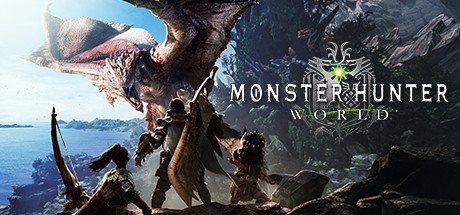
Real Minecraft (Fabric) inside Monster Hunter: World on native Windows 11. A Windows port of the macOS Crossover Bridge.
Real Minecraft (Fabric) inside Monster Hunter: World, on native Windows 11. Windows-native port of justbustin/minecraft-crossover-bridge (MHW only, no Elden Ring). See the README below for details.
README
On GitHubMinecraft inside Monster Hunter: World (Windows 11)
This is a Windows-native port of an existing project. Original: justbustin/minecraft-crossover-bridge by justbustin, which ran Minecraft inside Monster Hunter: World and Elden Ring on a Mac through CrossOver. The idea is his (and @tobynjacobs's); this repository is the same design rebuilt for native Windows 11, for Monster Hunter: World only. All original copyright stays with the original author: see
LICENSEand the credits at the bottom.What changed against the original:
- Elden Ring is removed. Its bridge, its Fabric mod and its scripts are gone, along with the
macOS/D3DMetal notes.
- No CrossOver, no Wine, no Rosetta. The game already is a Windows x64 program, so the
camera, raycast, entity and damage code is untouched; only the plumbing moved to Windows:
- Shared memory is
%MHWMC_DIR%\bridge.shm(%TEMP%\mhwmcby default) mapped with
CreateFileMapping/FileChannel.map, instead of a file shared through Wine'sZ:drive.- Built with MSYS2 MINGW64 (
g++/make) instead of Homebrew's mingw-w64.- Scripts are PowerShell instead of
zsh; the loader forwardsdinput8to
%SystemRoot%\System32and no longer needs a Wine DLL override.- The game must run on DirectX 11, which is what the bridge hooks.
Play real Minecraft (Java Edition 1.21.1 with Fabric) inside Monster Hunter: World on native Windows 11. The game runs as a normal Windows x64 process and Minecraft runs as a JVM, and the two talk to each other through shared memory while both are running.
You play as Steve, with Minecraft's controls:
- One picture. The game renders its world from Minecraft's camera, and Minecraft's blocks,
mobs and hand are drawn into the game's own frame. They're hidden behind the game's walls and lit by its light.
- Real terrain. Steve walks on the game's actual collision: floors and walls are sampled
from the game and become invisible blocks. You can build on top of them.
- Real fights. The game's monsters get Minecraft hitboxes. Swords, arrows, critical hits and
TNT hurt them in the game, and tougher monsters take more hits. Their attacks hurt you in Minecraft.
- Switching. One key (F8) hands the keyboard and mouse to the game for its menus, map and
quests, and back.
Supported game version: 15.23.00 (build 421810), the final PC patch.
Requirements
- Windows 11 (x64).
- MSYS2, using the MSYS2 MINGW64 shell:
pacman -S --needed mingw-w64-x86_64-gcc make - Two JDKs: Java 21 for Minecraft 1.21.1, Java 25 for Gradle and Fabric Loom. Gradle finds
the Java 21 toolchain among the installed JDKs by itself.
- Monster Hunter: World 15.23.00, installed through Steam, with DirectX 12 turned off
(
DirectX12Enable=Offingraphics_option.ini). - Python 3 if you want the debug tools. The game doesn't need it.
- The function keys must act as F1–F12.
Getting started
git clone https://github.com//minecraft-crossover-bridge-win.git
cd minecraft-crossover-bridge-win          # every command below runs from here

# build the bridge and install it into the game folder
powershell -ExecutionPolicy Bypass -File monster-hunter-world\scripts\install_mhw_bridge.ps1
# start MHW from Steam and get into an area (windowed, smaller than the screen), then:
powershell -ExecutionPolicy Bypass -File monster-hunter-world\scripts\run_minecraft.ps1
install_mhw_bridge.ps1 locates the game through Steam (including extra library folders); pass -GameDir "D:\...\Monster Hunter World" if it can't, and -Remove to uninstall. It builds the DLLs with MSYS2 (shell MINGW64), then copies dinput8.dll (the loader) next to MonsterHunterWorld.exe and mhwbridge\mhwbridge_core.dll into a subfolder. On Windows no registry override is needed: the game loads the dinput8.dll from its own folder. Use scripts\reload_core.ps1 to rebuild and hot-swap just the core while the game keeps running (changing the loader needs a restart).
Minecraft opens its own world ("MHW Bridge"). It covers the game window and takes over the keyboard and mouse once the game's character is in the world.
How it works
  Fabric mod (Minecraft 1.21.1)                        Monster Hunter: World (native x64)
  ──────────────────────────────                        ────────────────────────────────────
  Fabric mod  ─── camera pose, rendered frames ──▶       bridge DLL: the game renders from that pose,
                                                         Minecraft's pixels go into its frame
             ◀── terrain ray hits ───────────────       rays cast against the game's collision
             ◀── monsters: position, hitbox, HP ─       the game's own character and monster lists
             ─── hits on monsters ───────────────▶      damage applied with the game's functions
             ◀── hits on the player ─────────────       the hidden game character takes the hits
(shared memory: %MHWMC_DIR%, default %TEMP%\mhwmc)- Two halves. A Fabric mod runs in Minecraft. A small Windows DLL is loaded into the game in
place of
dinput8.dll(forwarding to the real one in%SystemRoot%\System32), and it loads the actual bridge, which can be rebuilt and swapped while the game runs. - Shared memory. Both sides map the same files in
%MHWMC_DIR%: C++ withCreateFileMapping, Java withFileChannel.map. SetMHWMC_DIRto change the folder; both sides must agree on it. - Camera. Minecraft owns the player. Each frame it sends its camera position and direction.
The bridge overwrites the game's camera with it, so the game draws its world from where Steve stands.
- Drawing into the game's frame. Minecraft renders normally, copies its picture and depth into
shared memory, and only then sends that frame's camera. When the game presents its frame, the bridge draws Minecraft's pixels into it. A per-pixel depth test against the game's depth buffer hides Minecraft's blocks behind the game's walls, and the brightness of the game's own image relights them.
- Terrain. Minecraft asks for batches of rays around the player. The bridge casts them
against the game's own collision on the game thread, and every hit becomes an invisible block in Minecraft.
- Monsters and damage. The bridge publishes nearby monsters with their hitboxes and health.
They become invisible Minecraft entities. Minecraft's hits go back into the game as damage, using the game's own functions. The game's character is hidden at Steve's feet as a stand-in: monsters target and hit it as usual, and those hits are passed to Minecraft as damage.
- Safety. Every game address the bridge uses is checked against its expected bytes at
startup. If anything differs (another game version), that feature switches off instead of guessing. Game functions are only called from the game's own thread.
docs/how-it-works.md explains each part in more depth.
Repository layout
monster-hunter-world/     the bridge itself
  mhw-bridge/             Windows DLL (C++, MinHook hooks): loader + bridge core
  mc-bridge/              Fabric mod for Minecraft 1.21.1
  scripts/                install / run Minecraft / hot-reload the core / dev-commands
                          (PowerShell), plus the debug tools (Python 3)
windows-port/             notes and shared pieces from the port
  PORTING.md              what changed against the original, and why
  src/shm_win.h           native shared memory (CreateFileMapping), %MHWMC_DIR%
docs/                     how it works
AGENTS.md                 porting notes, invariants and traps for anyone changing this
scripts\common.ps1 holds what the PowerShell scripts share: the game-folder lookup through Steam, the MSYS2 build, the copy-then-rename install and the hot-reload request. The Python tools need Python 3, and only for development, not to play.
Caveats
- One game version. Features whose addresses don't match switch off. Only 15.23.00
(build 421810) is supported.
- DirectX 11 only. The bridge hooks the D3D11 swapchain's
Present. With DirectX 12 on itsays so in the log and the compositor stays off.
- The bridge loads on every start once installed, since it replaces the
dinput8.dllthe gameloads. Play solo: no online sessions or SOS flares while it's installed, since it changes monster health. Run
install_mhw_bridge.ps1 -Removeto undo it. - Fan project. It isn't affiliated with Mojang, Microsoft or Capcom. It contains no game files
or assets, only short byte patterns used to recognize the game's code: the bridge works on your installed game at runtime. Use it at your own risk and back up your saves.
Credits
- Original project: justbustin/minecraft-crossover-bridge
by justbustin — the design, most of the game-side reverse engineering and the Elden Ring port that this repository started from. The idea of putting Minecraft inside another game is @tobynjacobs's. This is an unofficial Windows port; please support the original.
- MinHook (BSD 2-Clause, vendored in the bridge's
third_party/minhook) for the hooks. - Fabric (Loom, Loader, API) for the Minecraft side.
- Community research the code cites:
- SharpPluginLoader: Monster Hunter: World's
projectile-creation parameters.
- HunterPie: Monster Hunter: World's damage-number
function and zone offsets.
- SharpPluginLoader: Monster Hunter: World's
License
MIT, © 2026 justbustin, as in the original project. MinHook keeps its own license (*/third_party/minhook/LICENSE.txt).
From the project's repository, fetched . Images load from GitHub.
Releases
FeedNo releases yet. Follow the project to hear when the first one comes out.
Works for me
Did it work on your PC? A quick report tells other players which versions are safe to try.
Forks & ports
Built on Minecraft Crossover Bridge.
Discussion
No posts yet. Ask a question, share your setup or post a clip.
Sign in to post